| Accented Picture |
Use to show a central, photographic idea with related ideas on the side. The top Level 1 text appears over the central picture. Corresponding text for other Level 1 shapes appear next to the small circular pictures. This layout also works well with no text. |

|
| Alternating Picture Blocks |
Use to show a series of pictures from top to bottom. Text appears alternately on the right or left of the picture. |

|
| Alternating Picture Circles |
Use to show a set of pictures with text. The corresponding text appears in the central circles with the images alternating from left to right. |

|
| Ascending Picture Accent Process |
Use to show an ascending series of pictures with descriptive text. Works best with a small amount of text. |

|
| Bending Picture Accent List |
Use to show non-sequential or grouped blocks of information. The small circular shapes are designed to contain pictures. Works well for illustrating both Level 1 and Level 2 text. Maximizes both horizontal and vertical display space for shapes. |

|
| Bending Picture Blocks |
Use to show a series of pictures. The box covering the bottom corner can contain small amounts of text. |

|
| Bending Picture Caption |
Use to show a sequential series of pictures. The box covering the bottom corner can contain small amounts of text. |

|
| Bending Picture Caption List |
Use to show a series of pictures. The title and description appear in a callout shape under each picture. |

|
| Bending Picture Semi-Transparent Text |
Use to show a series of pictures. A semi-transparent box covers the lower portion of the picture and contains all levels of text. |

|
| Bubble Picture List |
Use to show a series of pictures. Can contain up to eight Level 1 pictures. Unused text and pictures do not appear, but remain available if you switch layouts. Works best with small amounts of text. |

|
| Captioned Pictures |
Use to show a picture with multiple levels of text. Works best with a small amount of Level 1 text and a medium amount of Level 2 text. |

|
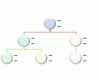
| Circle Picture Hierarchy |
Use to show hierarchical information or reporting relationships in an organization. Pictures appear in circles and corresponding text appears next to the pictures. |
|
| Circular Picture Callout |
Use to show a central idea and sub-ideas or related items. The text for the first picture covers the lower portion of the picture. The corresponding text for other Level 1 shapes appears next to the small circular pictures. This diagram also works well with no text. |

|
| Continuous Picture List |
Use to show groups of interconnected information. The circular shapes are designed to contain pictures. |

|
| Framed Text Picture |
Use to show pictures with corresponding Level 1 text displayed in a frame. |

|
| Hexagon Cluster |
Use to show pictures with associated descriptive text. Small hexagons indicate the picture and text pair. Works best with small amounts of text. |

|
| Horizontal Picture List |
Use to show non-sequential or grouped information with an emphasis on related pictures. The top shapes are designed to contain pictures. |

|
| Picture Accent Blocks |
Use to show a group of pictures in blocks starting from the corner. The corresponding text displays vertically. Works well as an accent on title or sub-title slides or for section breaks of a document. |

|
| Picture Accent List |
Use to show grouped or related information. The small shapes on the upper corners are designed to contain pictures. Emphasizes Level 2 text over Level 1 text, and is a good choice for large amounts of Level 2 text. |

|
| Picture Accent Process |
Use to show sequential steps in a task, process, or workflow. The rectangular shapes in the background are designed to contain pictures. |

|
| Picture Caption List |
Use to show non-sequential or grouped blocks of information. The top shapes are designed to contain pictures and pictures are emphasized over text. Works well for pictures with short text captions. |

|
| Picture Grid |
Use to show pictures laid out on a square grid. Best with a small amount of Level 1 text, which appears above the picture. |

|
| Picture Lineup |
Use to show a series of pictures side by side. Level 1 text covers the top of the picture. Level 2 text appears below the picture. |

|
| Picture Strips |
Use to show a series of pictures from top to bottom with Level 1 text beside each. |

|
| Radial Picture List |
Use to show relationships to a central idea. The Level 1 shape contains text and all Level 2 shapes contain a picture with corresponding text. Limited to four Level 2 pictures. Unused pictures do not appear, but remain available if you switch layouts. Works best with a small amount of Level 2 text. |

|
| Snapshot Picture List |
Use to show pictures with explanatory text. Level 2 text can display lists of information. Works well with a large amount of text. |

|
| Spiral Picture |
Use to show a series of up to five pictures with corresponding Level 1 captions that spiral in to the center. |

|
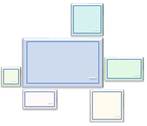
| Theme Picture Accent |
Use to show a group of pictures with the first picture being centered and the largest. Can contain up to six Level 1 pictures. Unused pictures do not appear, but remain available if you switch layouts. Works best with small amounts of text. |
|
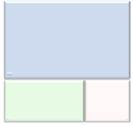
| Theme Picture Alternating Accent |
Use to show a group of pictures with the first picture being the largest and on top. Additional Level 1 pictures alternate between squares and rectangles with a limit of nine Level 1 pictures. Works best with small amounts of text. Unused text does not appear, but remains available if you switch layouts. |
|
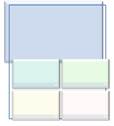
| Theme Picture Grid |
Use to show a group of pictures with the first picture being the largest. Can contain up to five Level 1 pictures. Unused pictures do not appear, but remain available if you switch layouts. Works best with small amounts of corresponding text. |
|
| Titled Picture Accent List |
Use to show lists of information with an accent picture for each Level 2 text. Level 1 text displays in a separate box at the top of the list. |

|
| Title Picture Lineup |
Use to show a series of pictures that each have their own title and description. Level 1 text appears in the box above the picture. Level 2 text appears below the picture. |

|
| Titled Picture Blocks |
Use to show a series of pictures. Level 1 text appears above each picture. Level 2 text appears to the side and slightly overlapping each picture. |

|
| Vertical Picture Accent List |
Use to show non-sequential or grouped blocks of information. The small circles are designed to contain pictures. |

|
| Vertical Picture List |
Use to show non-sequential or grouped blocks of information. The small shapes on the left are designed to contain pictures. |

|
