We'd love to hear from you about what's working well, what's not, and any ideas for improvements including possible new features and functions. Your input will help us improve the user experience for you and all Microsoft 365 users worldwide.
To make your feedback more actionable, please include a screenshot (where applicable). Also, preferably, select the option to allow us to contact you, then provide your email address.
Note
Newer versions of Microsoft 365 apps will more directly submit your concerns to the applicable team. For the best feedback experience, update your apps.
The quickest route to get your comments to our developers' ears is right from within any Microsoft 365 app. They read customer feedback daily.
From your app, go to Help > Feedback.

or
From your app, go to File > Feedback.
Click the Help menu and choose Feedback.
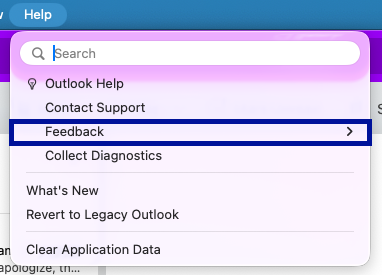
In the dialog box that opens, select the feedback you want to give.
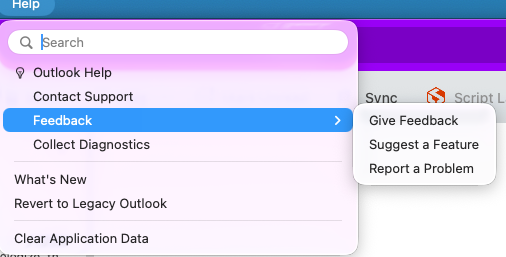
Outlook
Note
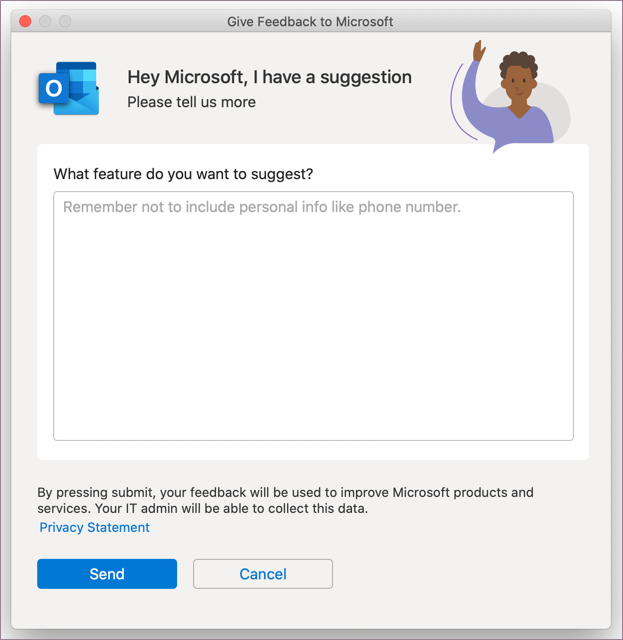
The option to make a suggestion in Give Feedback is currently available only for the new Outlook for MacOS.
For Outlook in MacOS, when you select Give Feedback, the dialog box that opens allows you offer a suggestion directly to our product team.
From a Microsoft 365 mobile app, select your profile picture in the top left. Then, select Help & Feedback from the list.
In the Outlook mobile app, select Home to open the side menu in the top left. Select Help & Feedback > Send Feedback.
From a Microsoft 365 app, select your profile picture in the top left. Then choose Send Feedback.
The quickest route to our developers' ears is right from within Office for the web. And if you want, you can even tell us your email address in case they need to contact you for clarification. They read all feedback.
- You'll need to be signed in to give feedback on Outlook.com or Outlook on the web. Once signed in, select Help to open the Help Pane and select Feedback at the bottom of the pane.
- In any other Office web app, select Help > Feedback.
