

The Recent Edits tool in OneNote helps you keep track of changes people have made in a shared notebook. You can use the tool to see a list of pages that changed over a set period of time.
- Go to the History tab in the Ribbon Bar.
- Click on the Recent Edits icon.
- Choose the desired date range.
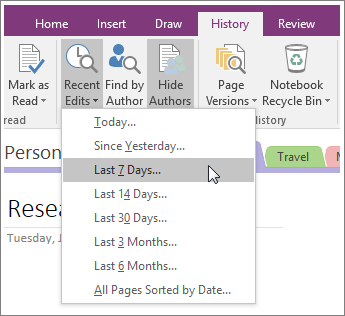
The Search Results pane will appear on the right, listing all pages updated within the selected date range.
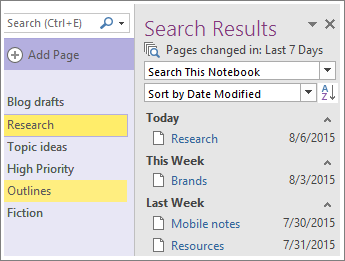
- To move from change to change, click a page title in the Search Results list. You can search and sort your list of changes in the Search Results list too.
- When you're done reviewing the changes, click the close button in the upper-right corner of the Search Results list.
Note
To see who made specific changes, you can show authors in a shared notebook.