
When you write an email message, you can change the color of text for a character, word, or any text you select.
- Select the text that you want to change.
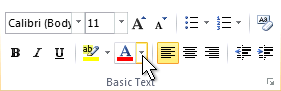
- On the Message tab, in the Basic Text group, choose the arrow next to Font Color.
- On the color palette, choose the color that you want.
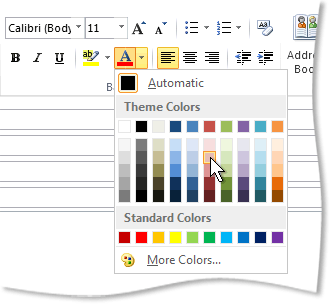
If you don't see the color you want, choose More Colors, and then select a color on the Standard tab, or mix your own color on the Custom tab.
Note
You can also switch the message format to something other than plain text to change the text color.