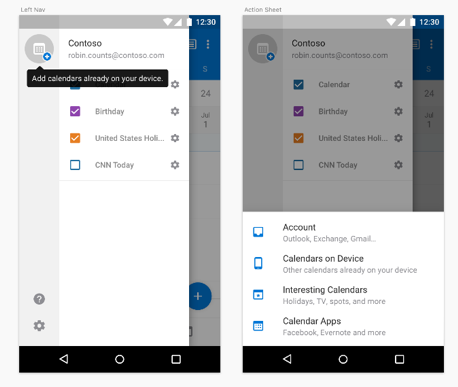
Go to Calendar, swipe left to open the left navigation, tap on the + icon at the top left corner to add a new calendar.
Choose Calendars on device from the selection. You can then choose the specific calendars to add to Outlook.
If the calendar is added successfully, you will see a local calendar account in Settings > Accounts.