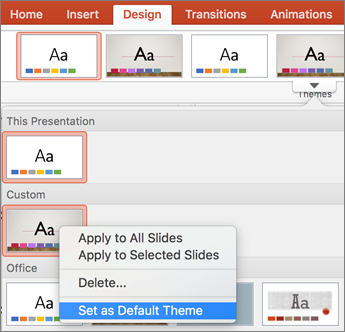
You can change the default theme to a theme that is included with PowerPoint or a theme that you've created yourself.
Change the default theme
If you haven't already, create and apply the theme that you want to set as the default.
For more information about creating a theme, see Create your own theme in PowerPoint.Note
You must save a presentation before you can set the theme as the default.
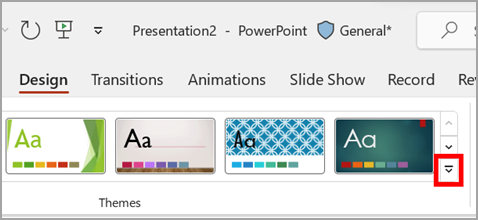
On the Design tab, select the arrow under Themes.
Point to the theme you want to set as default, right-click it, and select Set as Default Theme.
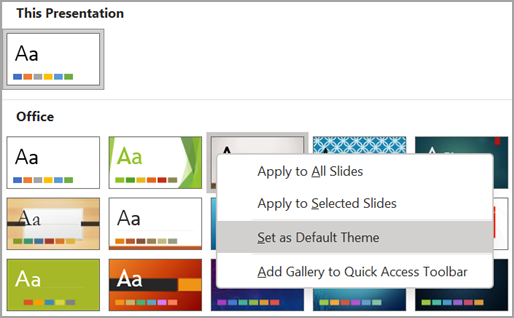
The next time that you open a new presentation, it will open with the theme that you set as the default.