
There are a lot of reasons why you might reassign one of your tasks to someone else, for example:
- Maybe you’re pulled into another, higher-priority project, and you need someone else to take on part of your existing workload.
- Maybe another person on the team has more experience than you do with a certain aspect of the project, and your project manager asks you to transition your work to that person.
- Or…maybe you’re just really good at delegating.
To assign a task to someone else:
- Click Tasks on the Quick Launch.

- Click Tasks > Reassign.

- Find the task that you want to reassign in the Select New Resources grid, and choose a new team member in the Reassign To column.

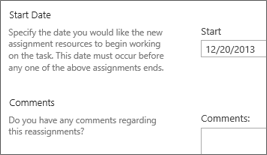
- Set a Start Date for the transition, and add Comments if you’d like.
- Click Submit to send the new assignment to the project manager.
