
A Publisher text box starts with a single column, but you can add more without creating a new text box.
- Click the text box, go to Text Box Tools Format > Columns and pick two or three columns.
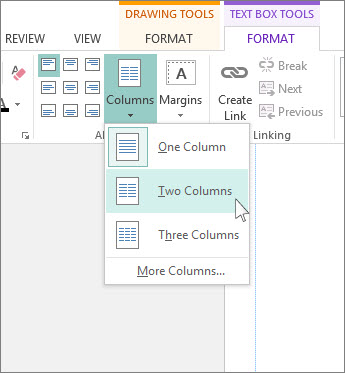
For more columns:
- Click the text box.
- Click Text Box Tools Format > Columns > More Columns.
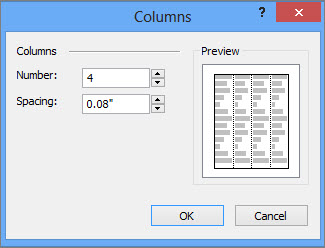
- In the Number box, type the number of columns, up to 63.
- In the Spacing box, use the arrow buttons to increase or decrease the space between columns.
Sometimes a template can help you design a publication with columns designed to look great right away. See Office.com to find templates for Publisher newsletters and brochures.