
You can create a custom troubleshooting and support URL for your Skype Meeting Broadcast.
Go to the Skype Meeting Broadcast portal.
Click on your scheduled meeting.
On the Meeting details page, in the Attendee page settings section, click Customize.

On the Attendee page settings page, in the Troubleshooting and support section, select Custom link.
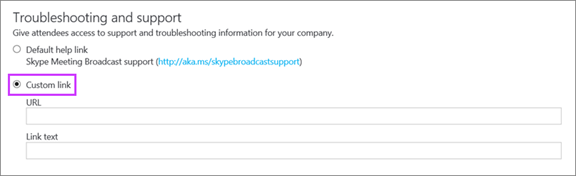
- Add your URL.
- Add your link text to display to users.
Click Done.
Skype Meeting Broadcast helpSchedule a Skype Meeting Broadcast