

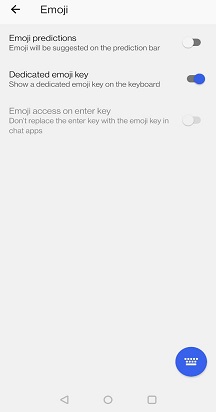
With Microsoft SwiftKey you have the option to choose between having a default enter (return) or emoji key. To edit this setting:
- Open the Microsoft SwiftKey app
- Tap 'Emoji'
- Toggle the 'Dedicated emoji key' setting to the on position.

Contact Us
For more help, Contact Support at Microsoft SwiftKey Support - Contact us