
To undock your keyboard, follow the steps below:
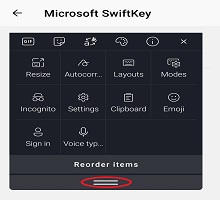
- Open your Toolbar
- Tap 'Modes'
- Tap 'Float'
Move the keyboard around the screen by dragging the icon at the bottom. Your keyboard will dock/undock when this button is tapped.
If you want to go back to a fixed keyboard, simply drag it down to the bottom of your screen.
Contact Us
For more help, Contact Support at Microsoft SwiftKey Support - Contact us