
This feature allows for the automatic correction of text as you type, and then reverts the text back to its original form when you use the backspace key. Essentially, it allows you to easily undo any unwanted autocorrect changes by simply deleting the corrected word.
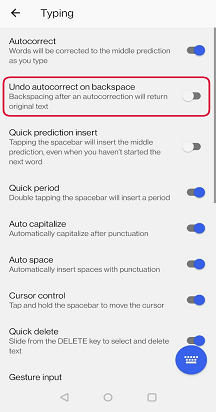
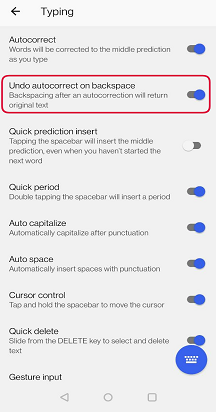
You can turn the 'Undo autocorrect on backspace' setting on and off by following the below instructions:
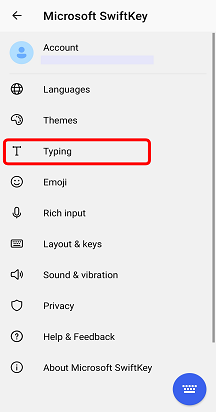
- Open your Microsoft SwiftKey app
- Tap 'Typing'
- Check/uncheck the Undo autocorrect on the backspace.
Contact Us
For more help, Contact Support at Microsoft SwiftKey Support - Contact us