Microsoft SwiftKey has many themes available to download - all for free - so you can customise your keyboard how you want.
To see the themes currently installed on your device, open the Microsoft SwiftKey app and tap 'Themes'.
Tap 'Gallery' to view all the other designs currently available.
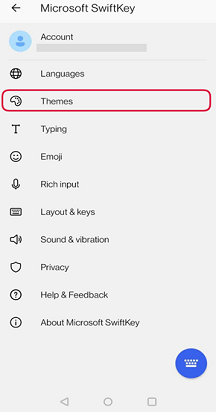
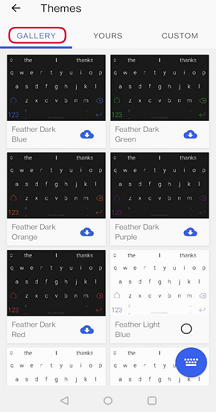
We are adding more themes all the time so be sure to check back often.
You can also view and change themes from Toolbar:
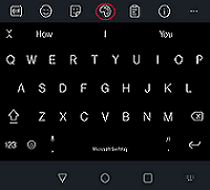
- Open Toolbar
- Select the 'Themes' tab (indicated by the palette icon) and click on Gallery
- Choose the theme you wish to apply to your keyboard
Note:
All themes are unique across platforms, and cannot be transferred from Microsoft SwiftKey Keyboard for Android to iOS (or vice versa) at this time.
Microsoft SwiftKey Keyboard for iOS offers a range of themes to suit your individual tastes and styles.
These include:
Photo Themes
Turn your favourite photo into your keyboard background in order to truly personalise your typing experience.
To see how click here
Nickel X Theme
Nickel X was designed with the iPhone X in mind but there's nothing stopping you from enjoying this cool adaptive light/dark theme if you use another iOS device.
Preview the effect in the Microsoft SwiftKey app by toggling the icon shown below. This doesn't set anything, it's just to show you how it will work.
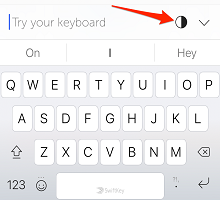
Please note: some apps may not support this theme and the transparency feature - this is normal.
Animated Themes
Microsoft SwiftKey Keyboard for iOS also offers a collection of Animated Themes.
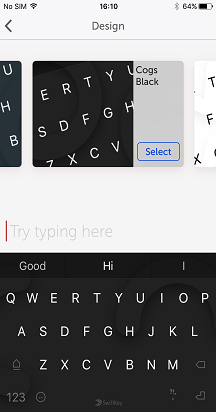
Choose from the Cogs and Zig Zag collections, plus Snowy Sky, Shooting Stars and Bubble Gum.
How to change Themes in Microsoft SwiftKey
To access these themes, please follow the steps below:
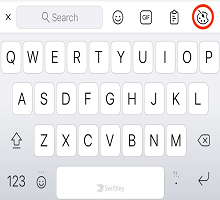
- Open Toolbar by tapping the '+' icon
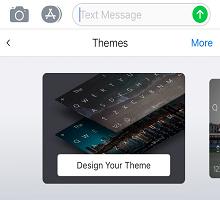
- Press the 'Themes' button
- Scroll through the designs available
Alternatively
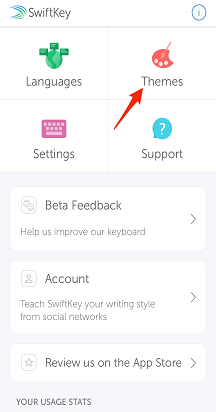
- Open the Microsoft SwiftKey app
- Tap ‘Themes’
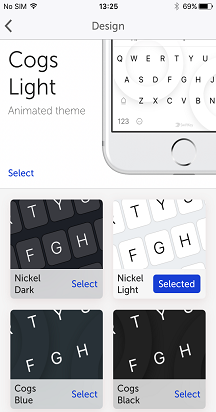
- Tap on a theme to preview a design and make a selection
Note:
All themes are unique across platforms, and cannot be transferred from Microsoft SwiftKey Keyboard for Android to iOS (or vice versa) at this time.

