
Categories are child tables of a parent table. For example, an employee record (the parent) might contain a job-type column; category tables for that column might include engineer, technician, and administrator. Define the category by setting up the primary key in the parent table, and then setting up a foreign key in the child table, and linking the two.
Define a category in a database model diagram
- In Visio, on the File menu, click New > Software, and then click IDEF1X Database Notation.
- Choose between Metric Units or US Units, and click Create.
- From the IDEF1X Database Notation stencil, drag an Entity shape onto the drawing page to create a parent entity.
- Drag another Entity shape onto the drawing page to create a child entity.
- In the parent entity, click the attribute that is denoted with PK, and type the attribute name.
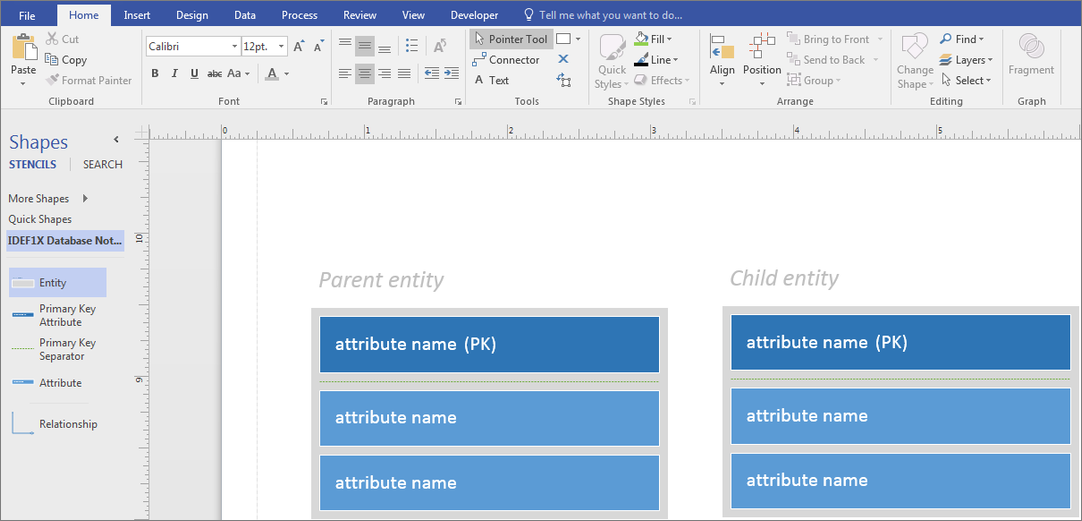
- Complete the parent entity.
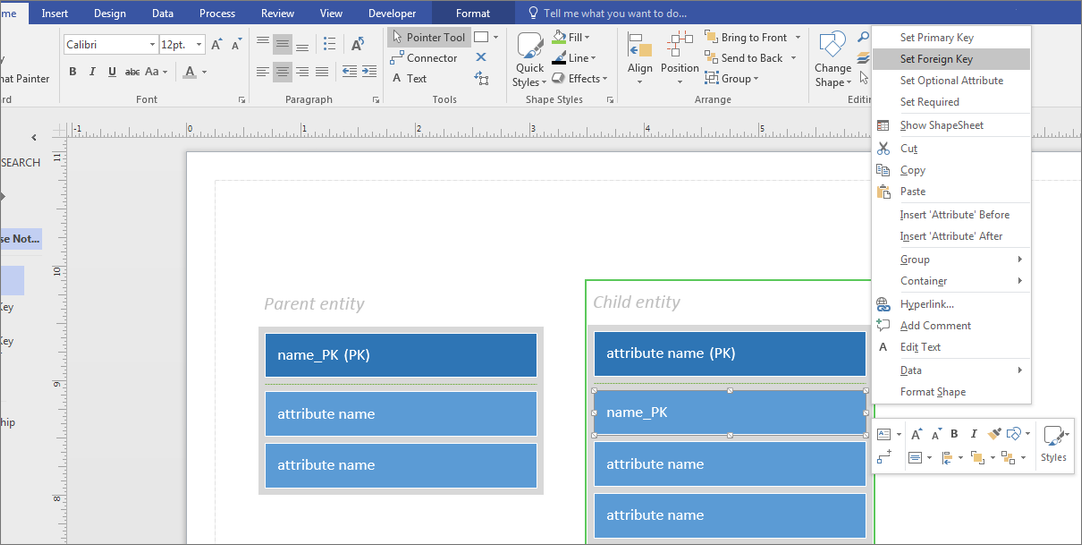
- Right-click the first attribute in the child entity, and select Insert ‘Attribute’ Before.

- Click the newly created attribute in the child entity, and type the attribute name that you entered earlier as the primary key in the parent entity.
- Right-click the attribute, and click Set Foreign Key.
- Drag a Relationship shape onto the drawing page.
- Drag one end of the relationship shape to the middle of the parent entity until a green box appears around the entire shape.
- Connect the other end of the relationship shape to the child entity the same way.
- Repeat the steps for each child table.