
Print guidelines in Visio
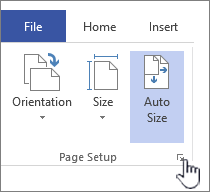
- On the Design tab, click the Page Setup Dialog Box Launcher.
- On the Print Setup tab, under Print, select the Gridlines check box.
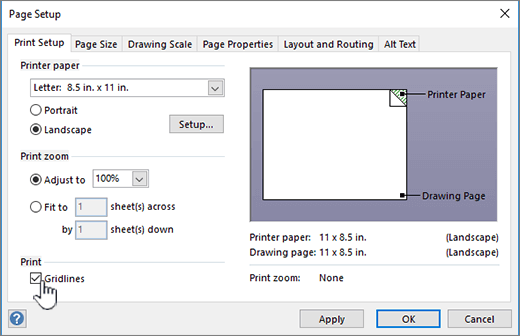
- Click OK.
- Print the drawing.
Center your drawing on the print
- On the Design tab, click the Page Setup Dialog Box Launcher.
- On the Print Setup tab, click Setup.
- Under Small drawings, select the Center horizontally and Center vertically check boxes.

To print a drawing
- Click the File tab.
- Click Print.
- Click the printing option you want.