

Use the stopwatch to time something.
Select Start
 and select Clock from the app list or type its name into the search box.
Select Stopwatch (if necessary, select Toggle navigation
 to open the menu first) and then select Start
 .
.To mark a lap or split as the stopwatch runs, select Laps / Splits (the flag, ❶ in the image below).
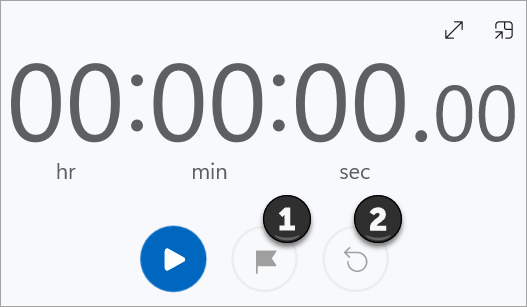
Select Expand
 to increase the size of the stopwatch display at any time.
Select Pause
 to stop the clock.
Select Reset (the circular arrow, ❷ in the image above) to clear the clock.