
Using document info
For common information, such as Author name, File name, date, or file path, follow these steps:
Double-click the header or footer.
Select Document Info and choose the information you want.

Note
Select Document Property to select additional information, such as Title, Company, or Subject.
Select Close Header and Footer or press Esc to exit.
Using field codes
If you don't find the info you want, such as file size or who it was last saved by, you can use field codes to add a variety of document properties.
Note
If you already added a header or footer from the gallery, this procedure may replace or change the formatting of the current header or footer.
- Go to Insert > Header or Footer.
- Select Edit Header or Edit Footer.
- Select Quick Parts and select Field.

- In the Field names list, choose the field you want (such as FileName, Date, Author, or Title), choose the format you want in the Field properties section.

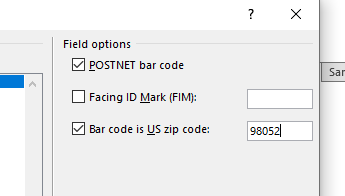
- If a field property has addition options, choose any you like in the Field options section.
- Select OK.
- Select Close Header and Footer or press Esc to exit.

For more on headers and footers, see Headers and footers in Word.
