
Use Table Tools to quickly delete a table in Word for the web.
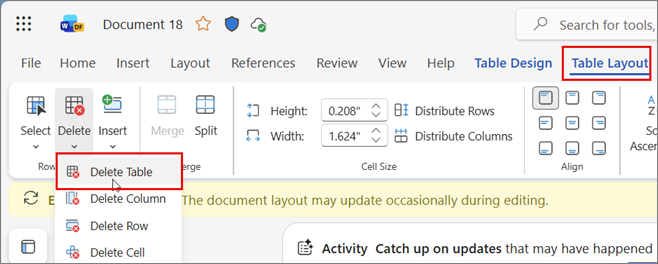
Click anywhere in the table to open Table Layout on the ribbon.
In the Rows & Columns group, select Delete Table.
Tip
Another quick way to delete a table is to select the contents of any cell. When the pop-up menu opens, click Delete > Delete Table.