
You're eligible to receive new features as soon as they're available.
Note
The content and steps in this article apply to Word for Microsoft 365 and other desktop versions of Word for Windows.
You're eligible to receive new features as soon as they're available.
Note
The content and steps in this article apply to Word for Microsoft 365 and other desktop versions of Word for Windows.
One-click writing suggestions
Apply writing suggestions with a single click. The updated Editor pane makes it easy to navigate between suggestions.
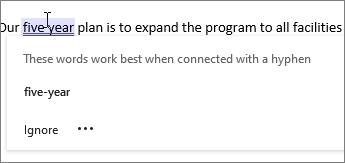
Writing suggestions at your fingertips
Word shows you writing suggestions that help you write more efficiently by predicting text quickly, timely and accurately. To accept the suggestion, just use the Tab key.
