

Exporting your document as a PDF is a convenient way create a shareable copy of your document while preserving its formatting. Here's how do it in Word for the Web.
At the top of your screen, select File.
In the displayed list of options, select Export.
Select the PDF download type that best suits your needs:
> Download as PDF ... Export document as a PDF without any comments included.
> Download as PDF with comments ... Export as PDF with all comments included.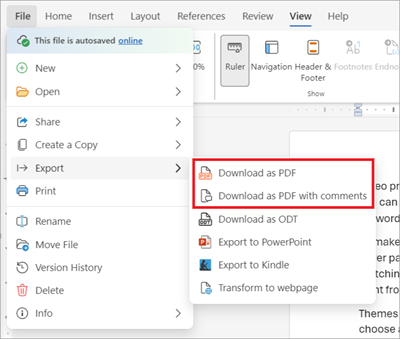
In the presented confirmation dialog box select Download.
Locate the newly created PDF in your designated download location.