When you add an object, such as a text box, shape, or picture, to a document, the object is contained in an invisible layer. Objects automatically stack in separate layers as you add them. Layers are useful when you are creating visuals in your document because they let you stack multiple objects on top of each other and move them forward or backward. For example, you can layer a 50% transparent rectangle on top of a picture of a hammer. If you have the rectangle layer in front, the hammer looks covered. If you have the rectangle layer in the back, the hammer appears to sit on top of the rectangle.
Word
- On the View menu, click Print Layout.
- Select a shape.
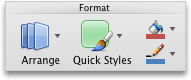
- On the Shape Format tab, click Arrange, click Send Forward or Send Backward and then select an option from the drop-down menu.
PowerPoint
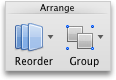
On the Home tab, click Arrange > Reorder Objects.
Note
If Reorder Objects is not available, make sure that the document contains at least two objects.
Drag the layer forward or backward to place it where you want it, and then click OK.
Note
If the object you are trying to bring forward or move back is not showing in the layers, the object might be part of the slide layout in Slide Master view.