
In SmartArt graphics, you can rotate the text vertically to present it sideways or to save space, without rotating the whole object or image.
In a SmartArt graphic, place your cursor in the text that you want to rotate, right-click the text and then select Format Text Effects.
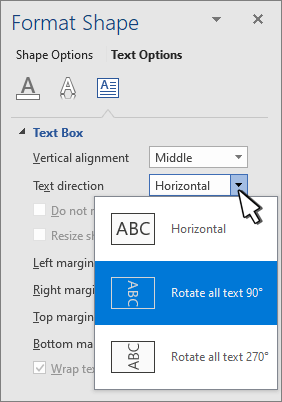
In the Format Shape pane, on the Text Options tab, select Layout & Properties, then select the text direction that you want.
Select X to close the panel.