
Mindfulness content in Viva Insights
Se aplica a
Note
Applies to users whose language in Teams is set to English, French, German, Portuguese, or Spanish. Mindfulness content isn't available to users in the GCC-High or DoD Microsoft 365 environments.
In the Microsoft Viva Insights app, you'll find a curated set of guided meditations and focus music. Start your day grounded, relax your mind before a big presentation, find focus before starting an important project, or close out your day with a mindfulness exercise during your virtual commute.
Start a guided meditation
You can start a guided meditation whenever you want. To find and complete a meditation:
In the Wellbeing tab in your Viva Insights app, go to the Act with intention section, and select Focus.
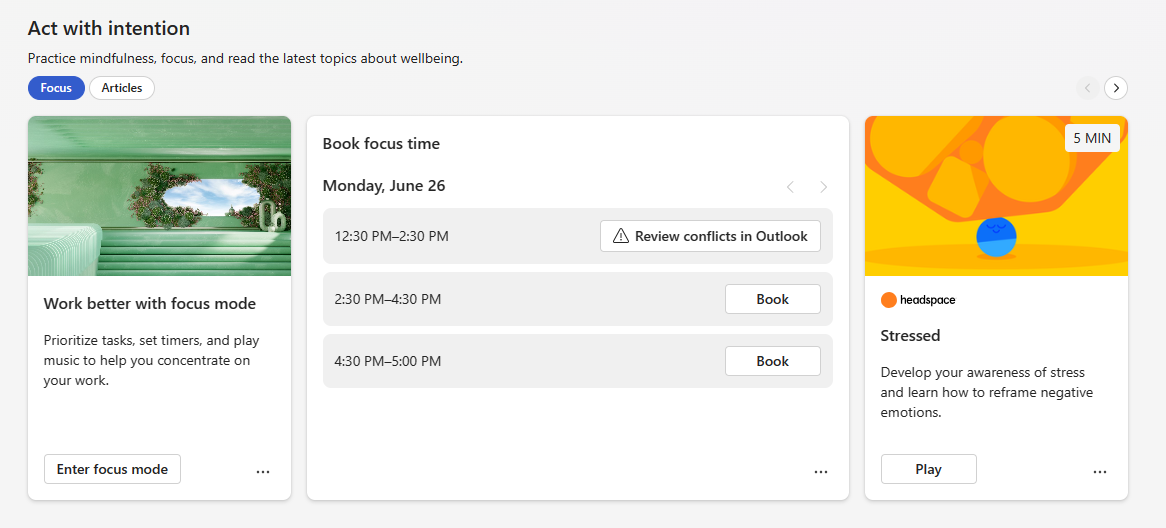
Start a meditation exercise, like Stressed or Body scan, by selecting its Play button.
If you want to do another exercise, select More exercises. Otherwise, close the window to complete your meditation.