수업 팀에서 대화, 파일, 과제 및 메모를 찾고 구성할 수 있습니다.
클래스 앱
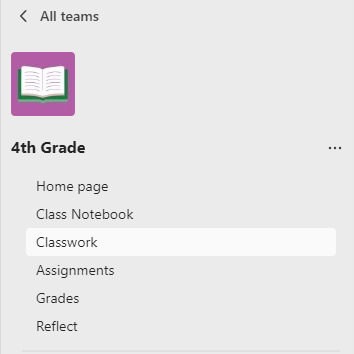
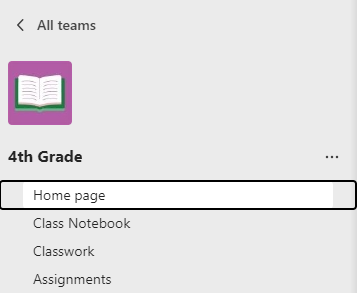
수업 팀으로 이동하여 수업 앱을 보고 과정 콘텐츠, 과제, 성적, 인사이트 등을 관리합니다.
클래스 앱에는 다음이 포함됩니다.
- 홈페이지 - 최신 공지 사항, 고정된 수업 리소스, 예정된 과제, 최근에 편집한 클래스 파일 등을 검사 중앙 방문 대상입니다.
- 수업용 전자 필기장 - 각 학생을 위한 개인 전자 필기장, 수업 리소스를 배포하는 콘텐츠 라이브러리 및 공동 작업을 위한 캔버스입니다.
- 과제 - 과제 및 퀴즈를 만들고 추적합니다.
- 성적 - 학생 과제를 채점하고 추적합니다.
- Reflect - 학생들을 위한 웰빙 검사 만듭니다.
- 인사이트 - 학생 진행 상황 및 참여 데이터를 추적하고 관리합니다.
채널
모든 수업 팀에는 일반 채널이 함께 제공됩니다.
채널은 한 곳에 하나의 주제에 대해 모든 파일, 대화 및 앱을 구성합니다. 그룹 작업, 주제, 단위 등에 대한 채널을 만들 수 있습니다.
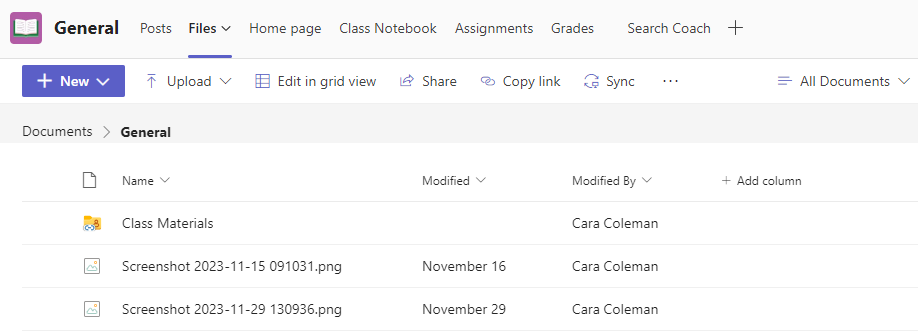
모든 채널에는 탭이 있습니다. 일반 채널에는 다음과 같은 탭이 있습니다.
- 해당 채널에 있는 모든 메시지에 대한 게시물 탭.
- 해당 채널에 공유된 모든 파일을 저장하기 위한 파일 탭.
팁
탭 추가 단추 를 선택하여 모든 채널에 탭을 추가 합니다.
합니다.


채널 추가하기
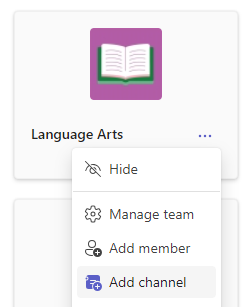
- 채널을 추가하려면 수업 팀 이름 옆에 있는 추가 옵션을 선택한 다음 채널 추가를 선택합니다.
- 이름 및 채널에 대한 선택적 설명을 입력합니다.
- 원하는 채널이 표준인지 개인용인지 선택합니다. 표준 채널은 모든 사용자에게 제공됩니다. 개인 채널은 선택한 학생에게만 제공됩니다.
- 모든 사용자의 채널 목록에 이 채널을 자동으로 표시하려면 확인란을 선택합니다.
- 추가를 클릭합니다.
알림 확인
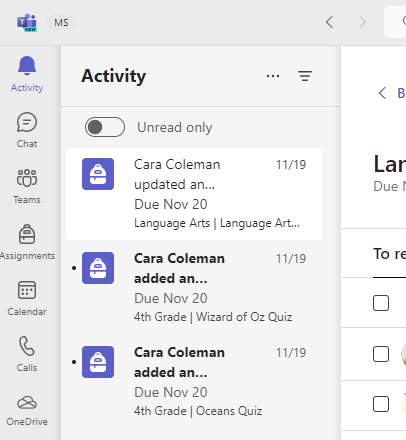
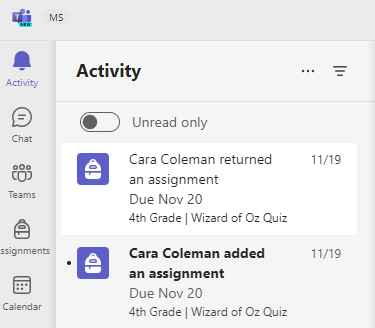
앱 표시줄에서 활동을 선택하여 수업에서 발생하는 상황을 확인합니다.