Chętnie poznamy Twoją opinię na temat tego, co działa dobrze, a co nie, oraz jakie są pomysły na ulepszenia, w tym możliwe nowe funkcje i możliwości. Twoje dane wejściowe pomogą nam ulepszyć środowisko użytkownika dla Ciebie i wszystkich użytkowników platformy Microsoft 365 na całym świecie.
Aby Twoja opinia była bardziej przydatna, dołącz zrzut ekranu (jeśli dotyczy). Najlepiej też wybrać opcję, która pozwoli nam się z Tobą skontaktować, a następnie podaj swój adres e-mail.
Uwaga
Nowsze wersje aplikacji Microsoft 365 będą bardziej bezpośrednio przesyłać Twoje obawy do odpowiedniego zespołu. Aby uzyskać najlepsze środowisko opinii, zaktualizuj aplikacje.
Najszybszym sposobem, aby Twoje komentarze dotarły do uszu naszych programistów, jest użycie ich bezpośrednio z poziomu dowolnej aplikacji platformy Microsoft 365. Codziennie czytają oni opinie klientów.
Z poziomu aplikacji przejdź doopiniio pomocy>.

lub
Z poziomu aplikacji przejdź do opcji Przekaż>opinię.
Kliknij menu Pomoc i wybierz opinię.

W otwartym oknie dialogowym wybierz opinię, którą chcesz przekazać.

Outlook
Uwaga
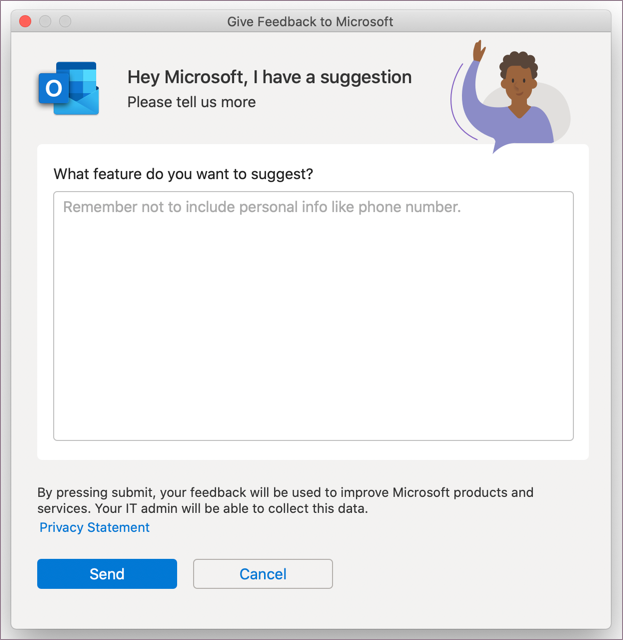
Opcja przesyłania sugestii w funkcji Przekaż opinię jest obecnie dostępna tylko dla nowego programu Outlook dla systemu MacOS.
W przypadku programu Outlook w systemie MacOS po wybraniu pozycji Przekaż opinię zostanie otwarte okno dialogowe umożliwiające zaoferowanie sugestii bezpośrednio naszemu zespołowi produktu.
W aplikacji mobilnej platformy Microsoft 365 wybierz swój obrazek profilu w lewym górnym rogu. Następnie wybierz z listy pozycję Pomoc i opinia.
W aplikacji mobilnej Outlook wybierz pozycję Narzędzia główne , aby otworzyć menu boczne w lewym górnym rogu. Wybierz pozycję Pomoc & Wyślij opinię>.
W aplikacji platformy Microsoft 365 wybierz swój obrazek profilu w lewym górnym rogu. Następnie wybierz pozycję Wyślij opinię.
Najszybsza droga dotarcia do naszych deweloperów to bezpośrednie skorzystanie z aplikacji Office dla sieci Web. Jeśli chcesz, możesz nawet przekazać nam swój adres e-mail, aby umożliwić im skontaktowanie się z Tobą w celu uzyskania dodatkowych wyjaśnień. Czytają oni wszystkie opinie.
- Aby przekazać opinię na temat Outlook.com lub Outlook w sieci Web, musisz się zalogować. Po zalogowaniu wybierz pozycję Pomoc , aby otworzyć okienko Pomoc , a następnie wybierz pozycję Opinia u dołu okienka.
- W dowolnej innej aplikacji internetowej pakietu Office wybierzpozycję Opiniao pomocy>.

