

Delete lines or connectors
If you need to remove a line, connector, or shape in a Word document, you can select it, and then press Delete.
Tip
If you want to delete multiple lines or connectors, select the first line, press and hold Ctrl while you select the other lines, and then press Delete.
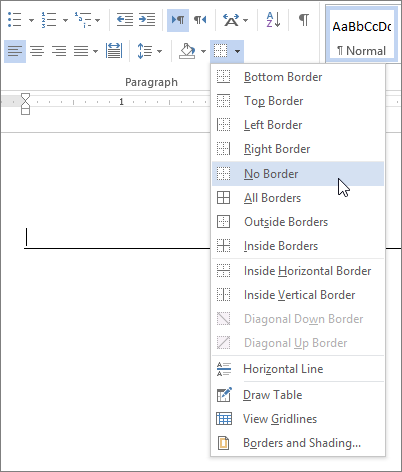
If you can't select a line to delete, it might actually be a horizontal line, which is a type of border.
Remove a horizontal border line
- Place the cursor immediately above the horizontal line.
- On the Home tab, select the arrow next to the Borders and Shading button, and select No Border.
For more on how lines work in borders, see Add, change, or delete borders from documents or pictures.