Explore the possibilities of how to transform the way you work and play through AI experiences. Copilot+ PCs and Windows 11 PCs from Surface help simplify daily tasks and get things done. The power to multitask, jumpstart your creative process, and have an AI assistant is at your fingertips. You can explore the features and Windows AI experiences and find the commonly asked questions about Copilot+ PCs.
What's the difference between Copilot+ PCs and Windows 11 PCs from Surface?
Find out more about Copilot+ PCs and Windows 11 PCs from Surface devices and what you can do.
Copilot+ PCs are a different class of Windows 11 PCs that are powered by a turbocharged neural processing unit (NPU) that can perform more than 40 trillion operations per second (TOPS). There are Copilot+ PC experiences, which include Recall, Cocreator, Windows Studio Effects, Live Captions, and automatic super resolution.
Devices include:
- Surface Pro 12-inch (16GB Memory or greater)
- Surface Pro 13-inch (11th Edition) or later
- Surface Pro for Business 13-inch (11th Edition) or later
- Surface Laptop 13-inch (16GB Memory or greater)
- Surface Laptop (7th Edition) or later
- Surface Laptop for Business (7th Edition) or later
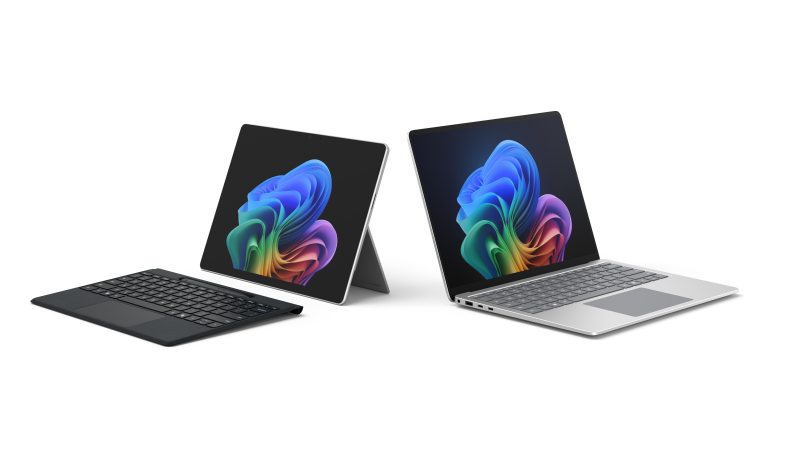
Windows 11 PCs from Surface offer AI-powered tools. The AI-features and functionality differ from Copilot+ PCs.
Devices include:
- Surface Pro 12-inch (8GB Memory)
- Surface Pro 10 for Business
- Surface Pro 9 with 5G
- Surface Pro X
- Surface Laptop 13-inch (8GB Memory)
- Surface Laptop 6 for Business
- Surface Laptop Studio 2

Note
For more information, visit the Microsoft Store. If the Microsoft Store is not available in your region, you’ll also find Surface at these retailers.
Features and Windows AI experiences
The following features are available on Copilot+PCs from Surface devices.
- Recall
- Click to Do
- Improved Windows Search
- Live Captions
- Cocreator image generation in Paint
- Restyle Image
- Image Creator
- Windows Studio Effects
- Automatic super resolution
- Super resolution in Photos
For additional information about features and availability see Copilot+ PC features.
Frequently asked questions
What is Copilot?
Microsoft Copilot is an AI-powered digital assistant designed to help users with a range of tasks and activities on their devices. See Frequently asked questions: AI, Microsoft Copilot, and Microsoft Designer
What makes Copilot+ PCs unique?
Copilot+ PCs are a different class of Windows 11 PCs that are powered by a turbocharged neural processing unit (NPU)* that can perform more than 40 trillion operations per second (TOPS).
*NPU is a specialized computer chip for AI-intensive processes. See All about neural processing units.
What are Copilot+ PC experiences?
Copilot+ PC class of devices includes features that require a powerful NPU for performing AI-intensive processes, known as Copilot+ PC experiences.
For example, Recall and automatic super resolution.
What accessories are compatible with Copilot+ PCs and Windows 11 PCs from Surface?
Surface accessories help enhance productivity and efficiency, so you can work effectively from anywhere. Surface accessories are available to purchase from the Microsoft Store and other retailers.
Note
For more information, visit the Microsoft Store. If the Microsoft Store is not available in your region, you’ll also find Surface at these retailers.
Related topics
Need more help?
Technical support

For technical support, open the Surface app, describe your problem and select Get Help.
Community support

Communities can help you ask questions, and hear from experts with rich knowledge. Ask the Community.
Other support

If you can't use your Surface or have a question about something else, open Get Help to get other support online.