
Viva Glint survey programs allow your leaders to collect data and listen to your feedback about how happy you are at work. You may occasionally encounter issues accessing or while taking a survey. For example, unexpected Thank You or maintenance messages when trying to give feedback or an inability to submit a survey. Use this guidance to identify common causes, determine how to troubleshoot and steps to resolve these issues.
What to do if you can't access a Viva Glint survey
Confirm your eligibility
If you have no active surveys in Viva Glint or new invite emails in your company email account but feel you should have been included in a survey, consult internal FAQs or contact your HR admin to determine your eligibility. In some cases, not all employees (for example, new hires) are included.
Validate your credentials
Your organization may use attribute-based access for surveys, which are often set up for access with a QR code or shortened link. Attribute based access allows you to start a Viva Glint survey by entering two pieces of information (example: employee ID and work email address). If after more than one attempt, you see a message stating that the system "could not validate your credentials" contact your HR admin to confirm your survey eligibility and access information.
Verify that the survey window is still open
Most Viva Glint surveys are open for a two-week timeframe. Check with your HR admin to confirm whether the window for your survey is still open.
Confirm if you've already completed your survey
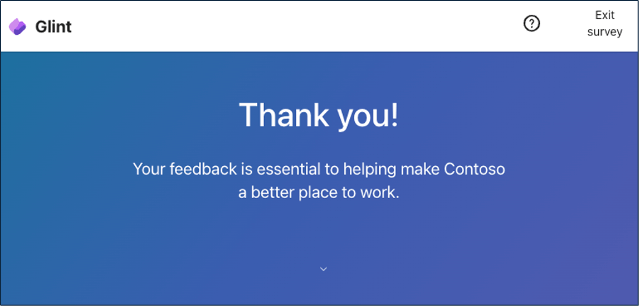
If you’re presented with a Thank You message when accessing your survey during the survey window, this indicates that you’ve already submitted your responses. Thank you for providing your candid feedback.
Resolve an error message or blank page
If you see a blank page or error message (for example: a 404-error code):
Confirm that you're accessing the survey from a supported browser: Microsoft Edge, Google Chrome, Safari, or Mozilla Firefox.
Ensure that you're using the most recent browser version available.
Reload the page using Shift + F5 on Microsoft Windows devices or Command + R on Macintosh devices.
Copy the survey URL and past into a new browser window.
Manage authentication issues
Your organization may require that you authenticate with Microsoft Entra to access surveys in Viva Glint. If you encounter any issues when logging in, see the following articles for common troubleshooting topics related to multi-factor authentication contact your IT help desk.
What to do if you can't submit a Viva Glint survey
When attempting to submit a survey, users might experience one of the following issues:
- The Submit button doesn't respond.
- An error message appears after selecting Submit.
- The survey page times out or continuously loads.
- The survey appears to submit, but responses aren't saved.
One common cause of survey submission failures is network configuration.
VPN, proxy, or network security tools
If you're connected to a Virtual Private Network (VPN), web proxy, or other network security tool, it might block or interfere with the secure connection required to submit survey responses.
To resolve the issue, try the following steps:
- Disconnect from any active VPN connection.
- Disable proxy settings, if applicable.
- Try accessing the survey from a different network.
- If your organization uses firewall or security filtering tools, confirm that Viva Glint domains are allow-listed.
After completing these steps, refresh the survey page and try submitting again.
If the issue persists after testing without a VPN or proxy connection, contact your Viva Glint admin for more assistance from Microsoft 365 Support. ``