
You can join a Skype Meeting Broadcast in much the same way as you join other Skype for Business meetings. You can join as an attendee or as an event team member.
Join a Skype Meeting Broadcast as an attendee
You will receive an invitation to the Skype Meeting Broadcast. The invitation will look similar to other Skype for Business or Lync meeting invitations. You accept the invitation as you would other meetings and the event will be added to your calendar.
The Skype Meeting Broadcast can either be an anonymous meeting or a closed meeting.
Attend an anonymous Skype Meeting Broadcast
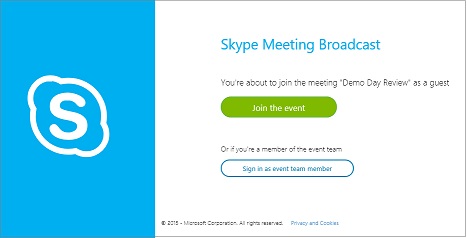
Sign in to the Skype Meeting Broadcast by clicking the meeting URL in the invitation.
At the Skype Meeting Broadcast page, click Join the event.
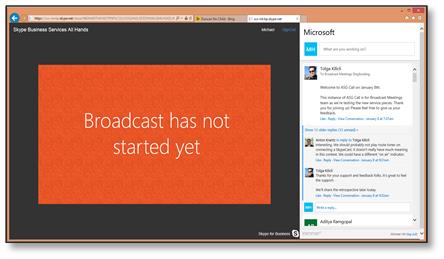
You will see the event's broadcast page where you will watch the Skype Meeting Broadcast.
Attend a closed Skype Meeting Broadcast
Sign in to the Skype Meeting Broadcast by clicking the meeting URL in the invitation.
At the sign-in page, enter your user name and password, and then click Sign in.

You will see the event's broadcast page where you will watch the Skype Meeting Broadcast.
Join a Skype Meeting Broadcast as an event team member
The Skype Meeting Broadcast can either be an anonymous meeting or a closed meeting.
Attend an anonymous Skype Meeting Broadcast
Click the URL in your meeting invitation.
At the Skype Meeting Broadcast page, click Sign in as an event team member.
At the sign-in page, enter your user name and password, and then click Sign in.
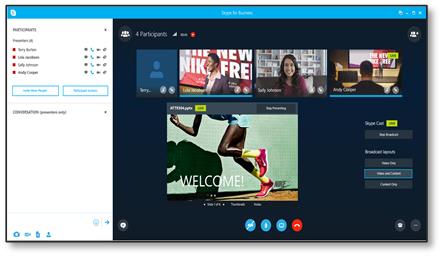
You will see the event's broadcast page where you can watch and monitor the Skype Meeting Broadcast.
Attend a closed Skype Meeting Broadcast
Click the URL in your meeting invitation.
At the sign-in page, enter your user name and password, and then click Sign in.
At the Skype Meeting Broadcast page, click Join the event.
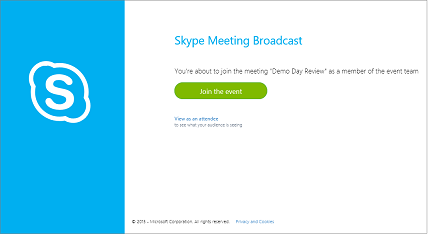
You will see the event's broadcast page where you can watch and monitor the Skype Meeting Broadcast.
Having sound or video issues?
If you’re having trouble with sound or video during the broadcast, see Troubleshoot audio and video in Skype for Business.
More information for attendees and event team members
- What is Skype Meeting Broadcast?
- Schedule a Skype Meeting Broadcast
- Manage a Skype Meeting Broadcast event
More information for admins
- Set up your network for Skype Meeting Broadcast
- Configure your on-premises deployment for Skype Meeting Broadcast
- Add a custom URL for troubleshooting and support to a Skype Meeting Broadcast