The Surface 140W USB-C Power Adapter is designed to charge your Surface device or other USB-C devices with 140W of power. This charger is specifically tailored for the demanding needs of Surface Laptop Ultra but is universally compatible with all devices supporting USB-C charging. AC plug included. Detachable USB-C cable sold separately.
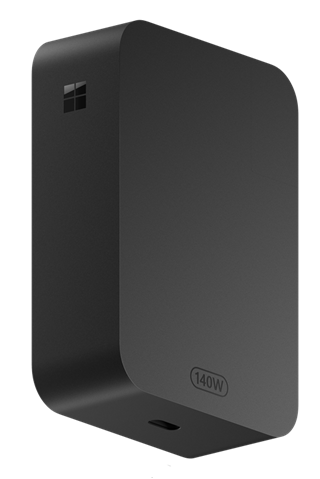
Available to purchase from the Microsoft Store and other retailers.
Connect your charger
Connect your charger to Surface and USB-C devices that support USB-C charging using a USB-C cable sold separately. It is recommended that the USB-C cable supports 5 amps. For best performance, use with devices requiring up to 140W.
If using with a Surface Magnetic Connect Cable, either the magnetic end or the standard USB-C end can be attached to the power adapter depending on the device to be charged.
For more information on the power requirements of your Surface device, see Surface power supplies and charging requirements.
Where to buy
Power supplies, chargers, and docks, designed to work with Surface, are available to purchase from the Microsoft Store and other retailers.
We strongly recommend only using a genuine Microsoft or Microsoft-licensed accessory—one that either came with your Surface or was purchased separately—to charge the battery.
Note
If the Microsoft Store is not available in your region, you’ll also find Surface at these retailers.
Safety and regulatory information
To view the safety and regulatory information for Surface, Surface power supplies, or Surface wall chargers, including shipping information and AC power cord safety, see Product safety warnings and instructions.
Related topics
Need more help?
Technical support

For technical support, open the Surface app or web browser, describe your problem and select Get Help.
Community support

Communities can help you ask questions, and hear from experts with rich knowledge. Ask the Community.
Other support

If you can't use your Surface or have a question about something else, open Get Help to get other support online.