
From any page in Viva Engage, you can find a campaign through a simple keyword search of the hashtag. Including the number sign (#) is no longer a search requirement.
- Select the Viva Engage search bar.

- Enter the hashtag (campaign name) or a word that appears in the hashtag.
- Select Enter or select the black arrow that appears in the search bar.
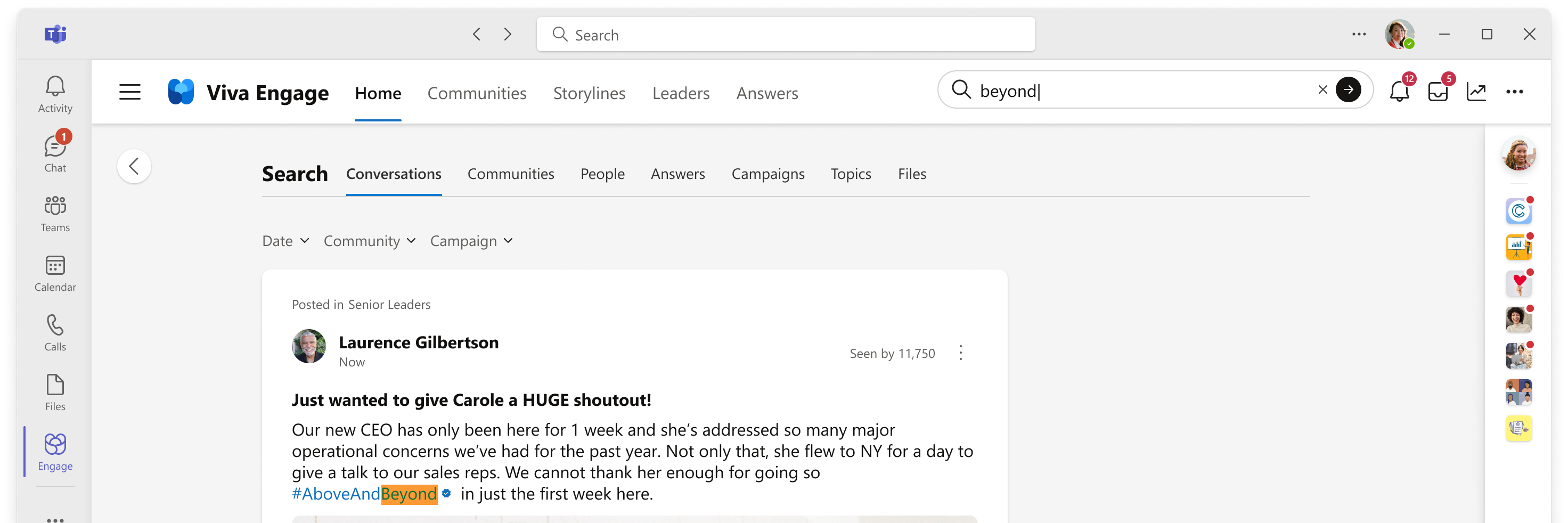 The page lists all posts where your keyword appears, with the word highlighted in each instance.
 - In the Search results, select the Campaigns tab to find the campaigns that match your keywords.
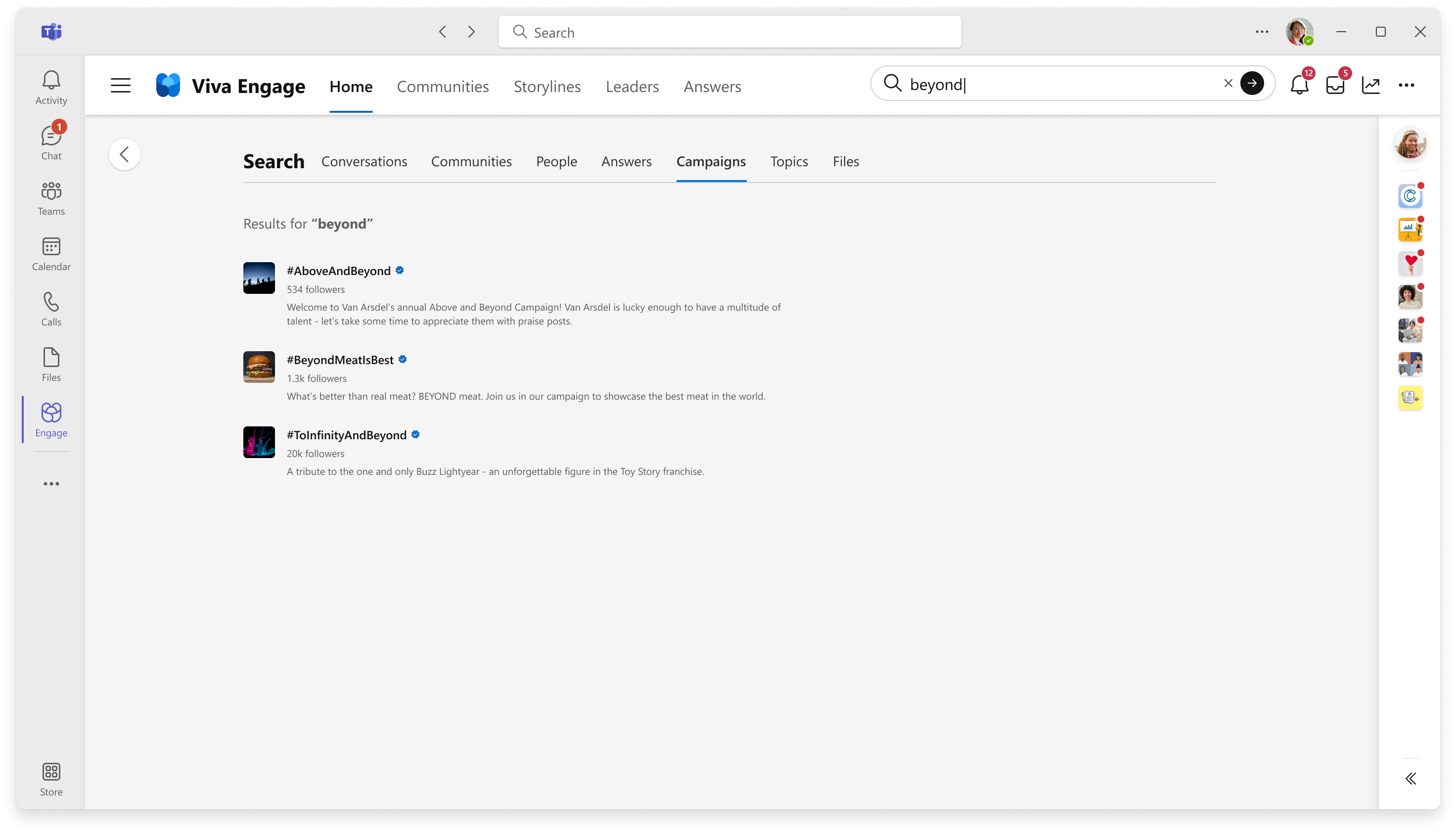
- Select a campaign to open its home page.