A Hanging indent, also known as a second line indent, sets off the first line of a paragraph by positioning it at the margin, and then indenting each subsequent line of the paragraph.
- Select the text where you want to add a hanging indent.
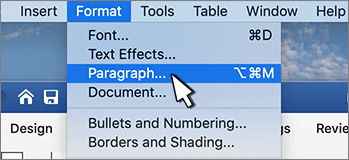
- Go to Home > Paragraph Settings dialog launcher
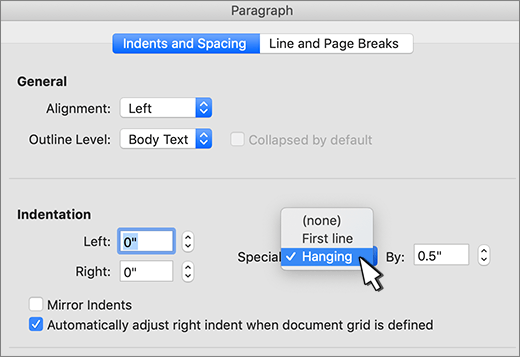
 > Indents and Spacing.
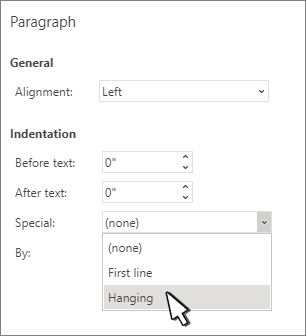
 - Under Special, select Hanging.
You can adjust the depth of the indent using the By field. - Select OK.
To add a drop cap to your paragraph, see Insert a drop cap.
To indent the first line of a paragraph, see Indent the first line of a paragraph.