
In Microsoft Teams Free, you can create an instant meeting. Easily reach out to your contacts, whether you're in a spontaneous mood or require a last-minute meeting.
Do you want to create a meeting, but don't have an account for Microsoft Teams Free? Sign up now.
Note
In Microsoft Teams Free, you can create meetings of up to one hundred participants for up to 60 minutes. Learn more about Teams subscriptions.
Create a meeting link
There are multiple ways to start an instant meeting. You can start one either through the Chat
 or Calendar
 feature.
In Teams, you can do one of the following:
- From the Chat
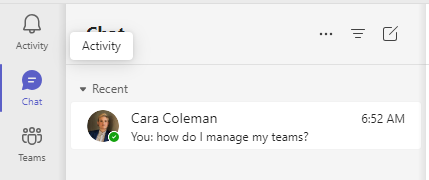 tab where you choose a chat and then tap Meet now
 .
. - From Calendar
, you can choose Meet now
 . You can also tap the Expand meetings menu
 and tap Meet now
 .
.
- From the Chat
Customize your meeting:
- Edit meeting name: Tap the pencil
 and give your meeting descriptive title.
 - Share invite: Tap Share meeting invite
 to share your meeting link via SMS and more.
 - Copy link: Tap Copy meeting link
 to copy the meeting invite link to your clipboard.
 - Change meeting options
 : Tap to configure the meeting's privacy options. You can set Who can bypass the lobby and Who can present options from the dropdown menu. After you make your selection, tap Save.
- Edit meeting name: Tap the pencil
Tap Start meeting to begin. Your meeting is created, and your meeting link is displayed in the meeting chat. You can copy and share this link at any time.
Set your audio and video options and then tap Join now. You can also Add participants or Share meeting invite for people to join.
Note
You can configure the meetings privacy options anytime during the meeting. Tap
 Show participants > Meeting options
. Then you can set Who can bypass the lobby and Who can present options from the dropdown menu. After you make your selections, tap Save.
Show participants > Meeting options
. Then you can set Who can bypass the lobby and Who can present options from the dropdown menu. After you make your selections, tap Save.


Related topics
Schedule a meeting in Microsoft Teams Free
What can I do during a meeting in Microsoft Teams Free?
How to use meeting chats in Microsoft Teams Free
Contact us
For more help, contact support or ask a question in the Microsoft Teams Community.