
Microsoft Outlook ondersteunt meerdere accounttypen, zoals Microsoft Exchange Server, POP3, IMAP en Outlook.com (voorheen Hotmail).
Voor sommige functies in Outlook is een Exchange-account vereist, dat wordt geleverd door uw organisatie, Microsoft 365 en sommige internetproviders.
Uw accounttype controleren in Outlook
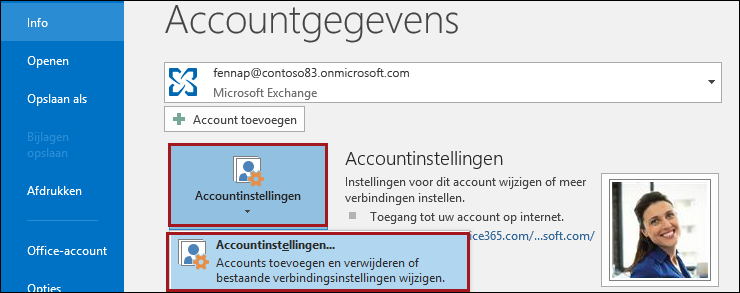
- Kies in het hoofdvenster van Outlook de optieAccountinstellingen> voor bestand>.
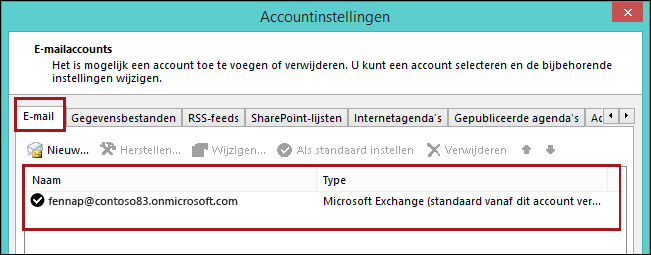
- Op het tabblad E-mail ziet u uw accounts en het Type voor elk account.
Een Exchange-account wordt weergegeven als Microsoft Exchange.
Functies die specifiek zijn voor Exchange-versies
Voor sommige Outlook-functies zijn specifieke versies van Exchange vereist. Zie De versie van Microsoft Exchange Server bepalen waarmee mijn account verbinding maakt als u werkt met een Exchange-account.