

Microsoft 365 Copilot can save you time by producing a solid first draft—whether that’s an email, meeting summary, proposal, plan, or analysis. But the first response is rarely the final one. When the output is close but not quite right, you usually don’t need to start over. Instead, after you diagnose what’s wrong with your output, iterate.
Iteration means making a small, deliberate change to your prompt or to Copilot’s output so the next version is more useful. It’s not a sign that Copilot failed. It’s how you guide a good starting point into something you can confidently use.
How do I iterate on Copilot output effectively?
Iteration is the habit of refining output in purposeful steps. You keep what works and adjust only what doesn’t—such as the goal, audience, level of detail, format, or specificity.
A strong iteration is:
- Contained enough that you can tell what changed from one version to the next.
- Intentional enough to move the output closer to your goal.
- Clear enough that you can compare the new version with the last one and decide whether it improved the result.
Think of Copilot’s first response as a draft. Your role is to shape it, not replace it by default.
How do I iterate on Copilot output to improve it?
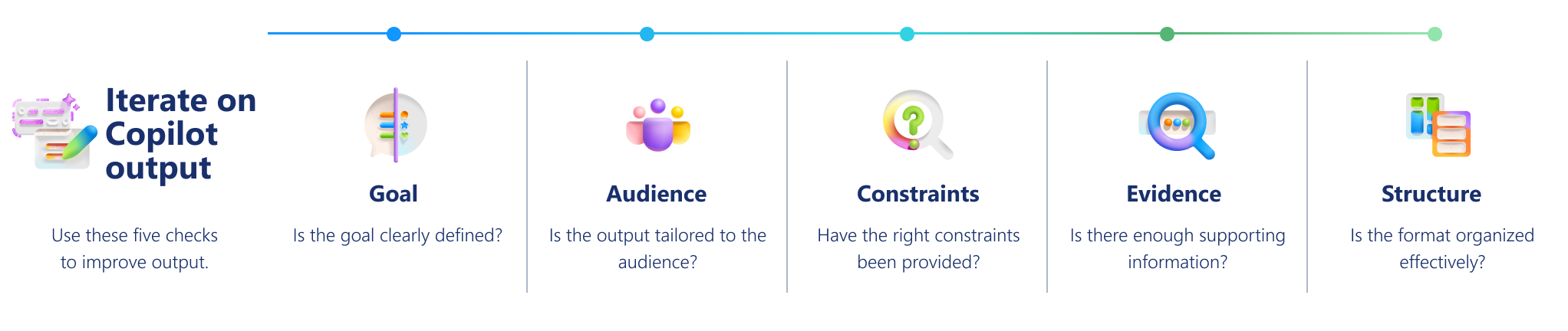
When output needs improvement, look at it through five lenses: Goal, Audience, Constraints, Evidence, and Structure. Most revisions come from adjusting just one of these.
Goal
Is the output focused on the goal or outcome I need?
If the response feels too broad, the biggest problem is often that it is not aimed tightly enough at the result you need.
| What to look for | Ask Copilot |
|---|---|
| The output is relevant, but it doesn’t clearly support the action, decision, or outcome you care about. | “Refocus this on [goal or outcome]. Remove anything that does not directly support that goal.” |
Audience
Is this written for the right audience?
A response can be correct and still feel wrong for the people who will read it. The tone might be too technical, too casual, or too internal.
| What to look for | Ask Copilot |
|---|---|
| The detail, language, or emphasis does not fit your reader. | “Rewrite this for [audience]. Adjust the tone and level of detail, and emphasize what this audience cares about most.” |
Constraints
Does the output meet my constraints (length, format, scope)?
Sometimes the problem isn’t the content itself—it is that there is too much of it, too little of it, or the wrong kind of detail.
| What to look for | Ask Copilot |
|---|---|
| The output is too long, too vague, or includes unnecessary information. | “Revise this to [length or format]. Include only [must‑have elements] and leave out [what is not needed].” |
Evidence
Does the output include concrete details and useful evidence?
Polished language can sometimes hide a lack of substance. Generic phrases don’t always help people act or decide.
| What to look for | Ask Copilot |
|---|---|
| The response sounds plausible but lacks concrete actions, examples, or specifics. | “Make this more concrete. Add specific actions, examples, or details that support the main point.” |
Structure
Is the output structured so it’s easy to scan and act on?
Even strong content can be hard to use if it is buried in long paragraphs or mixed together without a clear pattern.
| What to look for | Ask Copilot |
|---|---|
| Key points are hard to scan, compare, or act on. | “Reformat this as [bullets / checklist / brief summary]. Put [priority] first and keep the rest concise.” |
How do I iterate without starting over?
A simple process can help you refine output efficiently:
- Keep what already works. If the core idea or content is useful, build on it instead of discarding it.
- Find the biggest gap. Ask yourself what feels most off: goal, audience, constraints, evidence, or structure.
- Change one thing at a time. Adjusting multiple variables at once makes it harder to tell what actually improved.
- Compare versions. Evaluate whether the new version is clearer, more accurate, more appropriate in tone, or more complete—not just different.
This approach keeps you in control and makes iteration faster over time.
What does effective iteration look like in practice?
Small, explicit changes in the prompts you use often produce big improvements.
Example: Turn a status update into an executive-ready brief
| Before prompt | After prompt | Why this works |
|---|---|---|
| Write a status update. | Write a five‑bullet status update for executive leadership. Focus on milestones, risks, and the next decision needed. Use plain language and keep it under 120 words. | The audience is clear. The structure is defined. The constraints are explicit. The goal is sharper. |
Example: Turn a meeting summary into an action-ready recap
| Before prompt | After prompt | Why this works |
|---|---|---|
| Summarize this meeting. | Summarize this meeting for project stakeholders who did not attend. Use five bullets. Highlight key decisions, open risks, owners, and next steps. Keep it under 150 words and use plain language. | The audience is defined (stakeholders who missed the meeting). The structure is clear (five bullets) The constraints limit length and complexity. The focus shifts from a generic recap to decision- and action‑oriented outcomes. |
These kinds of targeted changes turn a general summary into something readers can quickly understand and act on—without rewriting the request from scratch.
When should I iterate—and when should I start over?
| Iterate when | Start over when |
|---|---|
| The output is mostly useful. The core idea is right, but the tone, detail, or structure needs refinement. You want to improve clarity, specificity, or audience fit. |
The response misses your goal entirely. Key context or assumptions are missing. The direction or structure is fundamentally wrong. |
If the foundation is off, refining it might not help. Resetting the request can be faster.
Quick readiness checklist
Before you share or act on Copilot’s output, confirm:
✔️ Goal: The content clearly supports the intended goal or outcome.
✔️ Audience: The tone, level of detail, and appropriate for intended readers.
✔️ Constraints: Length, format, and scope are controlled—only what matters is included.
✔️ Evidence: Facts, examples, sources, and recommendations are accurate, relevant, and supported by trustworthy information.
✔️ Structure: The content is well organized, easy to scan, and actionable.
If one area is weak, iterate again.
Tip
Download the Iterate on Copilot output to get better results quick reference guide, a practical resource you can revisit as you work.