
Als u Microsoft 365 voor Mac probeert te activeren en 'Foutcode: 0x8A010101' ontvangt, volgt u de onderstaande stappen.
Meld u aan met uw Microsoft-account.
- Zorg ervoor dat u het juiste Microsoft-account gebruikt dat is gekoppeld aan uw aankoop van Microsoft 365 voor Mac.
- Controleer nog eens of u Office 2019 voor Mac activeert.
- Als u per ongeluk probeert 2011 of 2016 te activeren, verwijdert u Office voor Mac, waarna u downloadt en installeert. U activeert het programma door u aan te melden met uw Microsoft-account.
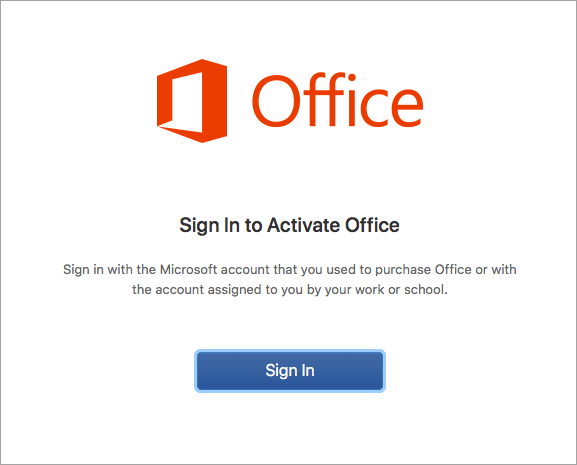 Het aanmeldingsscherm voor Microsoft 365 voor Mac moet er ongeveer als volgt uitzien.
Werkt het nog steeds niet? Misschien is de productcode ongeldig.
Als u uw productcode niet via een officiële Microsoft-winkel of -partner hebt aangeschaft, is het mogelijk dat de productcode ongeldig is.
Opmerking
MSDN-productcodes zijn niet geldig voor het activeren van een Office-suite die bij de detailhandel is gekocht.
Als u de Microsoft 365 voor Mac wilt downloaden, kunt u zich abonneren op Microsoft 365 of hier een eenmalige aankoop kopen.
Neem contact op met de ondersteuning.
Dit artikel is bijgewerkt op basis van uw feedback. Als u nog steeds hulp nodig hebt bij het activeren van Microsoft 365 voor Mac, laat ons uw probleem gedetailleerd weten door hieronder een opmerking achter te laten.
U kunt ook contact opnemen met Microsoft-ondersteuning.