
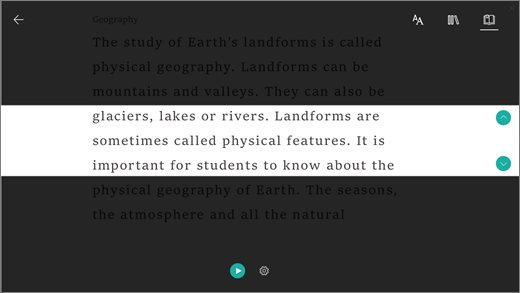
Line focus enables readers to narrow the focus of their reading experience by highlighting sets of one, three, or five lines within their chosen material in Immersive Reader. With just a portion of text highlighted, content is easier to read and comprehend.
To use Line focus in Immersive Reader:
Sign in to your account at Microsoft365.com and select Word, Outlook, or OneNote.
Open your document, email message, or notebook page and select View > Immersive Reader.
Select the notebook icon to open Read aloud options.
To the right of the Lines focus option, toggle the selector to On.
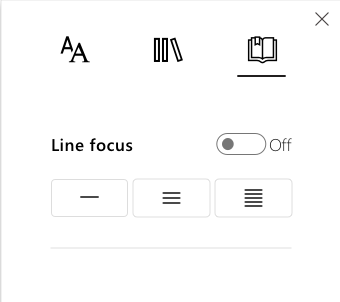
The number of lines visible will automatically set to 1. To view content with 3 or 5 lines highlighted, select the corresponding icon.
Learn more