

Whether you’re using Microsoft Copilot for summaries, recaps, updates, or briefings, the challenge isn’t just generating content. It’s deciding what gets carried forward, flagged, left out, and where people step in before something is shared or acted on.
Copilot and agents operate within boundaries. You define those boundaries and checkpoints so the right information moves forward with the right level of human review.
Why do boundaries matter when working with Copilot?
Copilot can surface themes, decisions, and actions. Agents can extend that into follow-up steps or routing. What they can’t know is:
- Which information is still current.
- Which points are incomplete or need context.
- Which details should not be repeated for a given audience.
- Which recommendations or next steps are safe to act on without human review.
Without boundaries, output can carry forward outdated, incomplete, or sensitive information. In agentic workflows, weak boundaries can allow incomplete information to drive action.
How do I design boundaries for Copilot-assisted work?
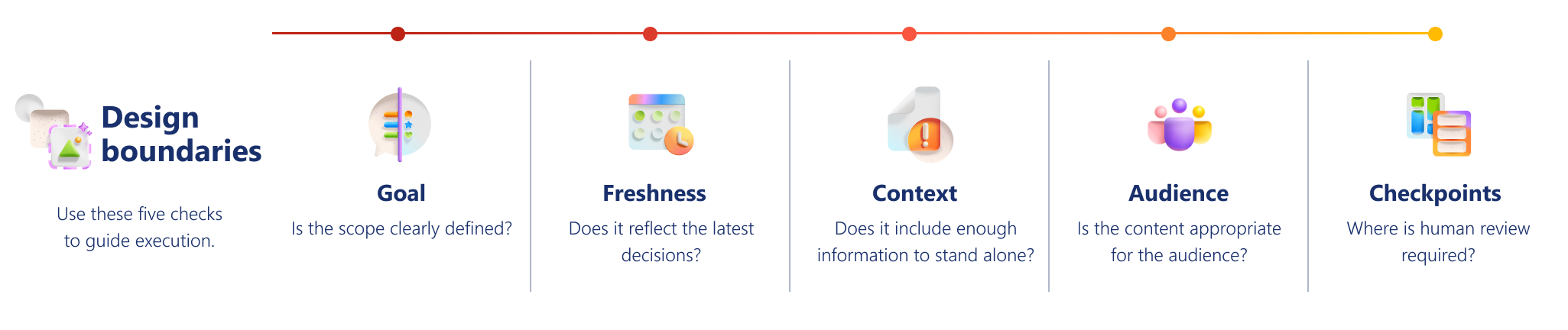
Use these five boundaries whenever you design Copilot-assisted or agent-supported work. The boundaries include Goal, Freshness, Context, Audience, and Checkpoints.
Goal
How do I define the scope of Copilot’s task?
| What to define | Why it matters | Ask Copilot |
|---|---|---|
| What specific job Copilot should perform—and what it should leave out. If an agent is involved, define what it is allowed to pass along, recommend, or trigger. | If scope is vague, Copilot optimizes general usefulness instead of your intended outcome. | “Create a recap focused on decisions, blockers, and next steps. Leave out background unless it changes the outcome.” |
Freshness
How do I ensure Copilot output reflects the latest decisions?
| What to check | Why it matters | Ask Copilot |
|---|---|---|
| Whether the information reflects the most current decisions and approved direction. | Older proposals can sound final when summarized, creating unnecessary risk. This matters even more when outputs inform follow-up actions. | “Identify which points are current and final. Flag anything that might have been updated or replaced.” |
Context
How do I check that Copilot output is complete enough to use?
| What to check | Why it matters | Ask Copilot |
|---|---|---|
| Whether each point includes enough context, ownership, and detail to stand on its own. | Concise output can still mislead if key context, ownership, or dependencies are missing. This is especially important when information is used to support follow-up action. | “Flag any items that require additional context, rationale, or ownership to be understood correctly.” |
Audience
Is this output appropriate for the intended audience?
| What to check | Why it matters | Ask Copilot |
|---|---|---|
| Whether the output is suitable for the intended audience and purpose. | Accurate information can still be inappropriate to share broadly. | “Identify output that might be sensitive, speculative, or not appropriate for this audience.” |
Checkpoints
Where is human review is required before information is shared, acted on, or automated?
| What to define | Why it matters | Ask Copilot |
|---|---|---|
| Where human review is required before it moves forward. | Not all content carries equal risk—decisions and priority changes should never move forward unchecked. | “Separate items that are safe to use from those requiring human review before sharing or action.” |
How do I turn boundaries into clear decisions?
After applying the framework, classify information into three groups: Carry forward, Carry forward carefully, or Leave out.
| Carry forward | Carry forward carefully | Leave out |
|---|---|---|
| Confirmed decisions Named next steps with owners Approved timelines Clear and validated status updates |
Partial or evolving updates Early ideas or conflicting inputs Context-dependent statements Actions without clear ownership |
Outdated or replaced proposals Unapproved decisions Side conversations Sensitive or audience-restricted details Ambiguous statements that could mislead |
This classification is core to designing boundaries. You are deciding what remains useful and responsible once information is separated from its original context.
Example: Design a catch-up recap
When a recap combines multiple sources into output that people must act on quickly, this is a good opportunity to define boundaries.
Before generating the recap, define boundaries:
- Goal: Prepare for today’s discussion—not a full history.
- Freshness: Include only the latest confirmed decisions and active blockers.
- Context: Flag items with missing context or unclear ownership.
- Audience: Exclude sensitive or audience-limited discussion.
- Checkpoints: Require human review for decisions, blockers, and dependencies.
Example: Screen and route internal requests
Teams receive requests across email, chat, and forms. Agents can organize and route them, while people handle work that requires judgment or approval.
How the design boundaries apply
- Goal: Handle standard intake and route by criteria, not exceptions or ambiguous cases.
- Freshness: Use current routing rules, owners, and guidance.
- Context: Flag requests missing key details like owner, deadline, or impact.
- Audience: Avoid routing sensitive or restricted requests without review.
- Checkpoints: Require human review for exceptions, unclear priorities, or decisions affecting people or commitments.
Use Copilot prompts to support your design
You don’t need complex prompts—just a few targeted checks.
| Check | Ask Copilot |
|---|---|
| Keep only what is current | “Summarize confirmed outcomes and active blockers only.” |
| Separate final direction from discussion | “Distinguish decisions from earlier exploration.” |
| Find missing context | “Flag items that depend on background or assumptions.” |
| Check audience fit | “Remove or adjust sensitive or unclear content.” |
| Add review checkpoints | “Mark items that require human sign-off.” |
| Prevent premature action | “Identify anything that should be reviewed by a person before it is used to recommend, route, or trigger next steps.” |
Quick readiness checklist
Before relying on Copilot output, confirm:
✔️ Goal: The job is clear and focused.
✔️ Freshness: The latest direction is reflected.
✔️ Context: Key points stand on their own.
✔️ Audience: Content is appropriate for the audience.
✔️ Checkpoints: Human review points are defined.
If any of these are unclear, refine your boundaries before proceeding. Download the Design boundaries and checkpoints for Copilot work quick reference guide, a practical resource you can revisit as you work.
Why design matters when working with Copilot
Copilot helps you move faster. Design ensures you move in the right direction.
When boundaries and checkpoints are clear:
- Outputs are easier to trust.
- Validation is faster.
- Risk of carrying forward the wrong information drops.
- Recommendations and actions are easier to review before they affect downstream work.
With effective boundaries and checkpoints in place, you can better validate Copilot output before acting on recommendations, decisions, or generated content.
Tip
Download the Design boundaries and checkpoints for Copilot work quick reference guide, a practical resource you can revisit as you work.