

Microsoft Copilot can help you quickly produce many kinds of output, whether you’re reviewing a summary, an email, an analysis, a plan, a meeting recap, or a policy update. That speed is useful, but a polished response isn’t always a complete one. Before you act on Copilot output, take a moment to inspect and diagnose what might be missing, unclear, weak, over-generalized, or out of date.
What does it mean to diagnose Copilot output?
Diagnosing means looking at one response and asking: What’s wrong or missing? Before you fix anything, you want to identify the gaps that matter, so you can decide what to question, clarify, or refine before moving forward.
A useful diagnosis is specific. Instead of saying “this feels off,” name the issue: the decisions are unclear, the risks are missing, the context is incomplete, the wording is too vague, or the information might be outdated. That makes the next step easier and helps you avoid acting on output that sounds complete but isn’t.
How do I diagnose what’s missing in Copilot output?
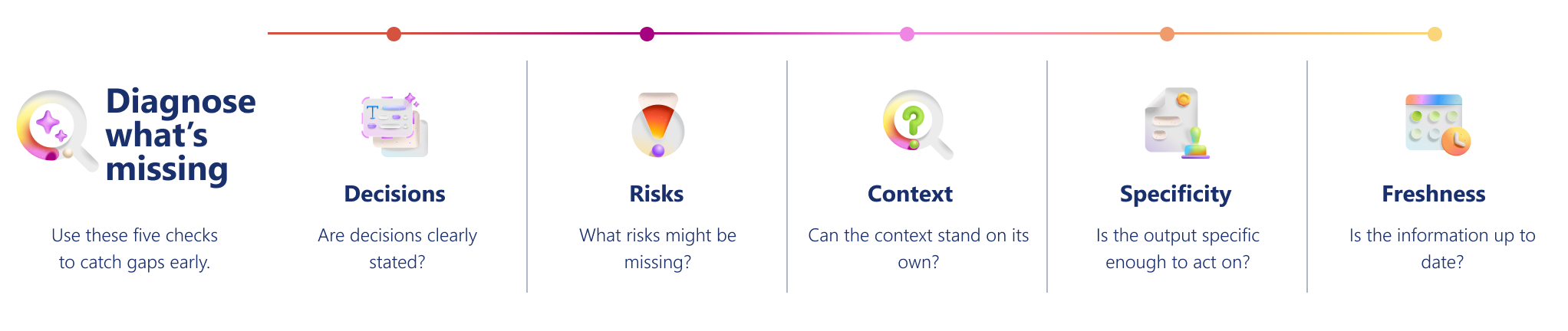
Use this framework to quickly inspect a single piece of Copilot output and pinpoint what might be missing, unclear, weak, or outdated before you act on it or share it. The framework includes Decisions, Risks, Context, Specificity, and Freshness.
Decisions
Are decisions clearly stated, or just discussed?
| What to look for | Signal of weakness | Ask Copilot |
|---|---|---|
| Check whether the output clearly separates what has been decided from what is still open. A useful response should not blur discussion with outcome. | “The team discussed timeline options.” | “What decisions are clearly stated in this output?” “What appears unresolved, assumed, or left open?” “Call out any decisions that might be missing or unclear.” |
Risks
What risks, blockers, or uncertainties might be missing?
| What to look for | Signal of weakness | Ask Copilot |
|---|---|---|
| Look for open risks, blockers, tradeoffs, or uncertainty. If the response sounds too smooth or final, it might be hiding important limits. | “Everything is on track and ready to move forward.” | “What risks, blockers, or uncertainties are implied but not stated?” “Where might this output sound overconfident or incomplete?” “What tradeoffs should be visible here?” |
Context
Does the output include enough context to stand on its own?
| What to look for | Signal of weakness | Ask Copilot |
|---|---|---|
| Check whether the output includes the context someone would need to understand it without the original conversation or source material—such as stakeholders, owners, timelines, background, or dependencies. | “Next steps were identified, but owners and timelines were not specified.” | “Which stakeholders, timelines, or dependencies are missing?” “What background would a new team member need to understand this?” “What context is assumed rather than explained?” |
Specificity
Is the output specific enough to act on?
| What to look for | Signal of weakness | Ask Copilot |
|---|---|---|
| Watch for vague, generic, or low-signal wording. Good output is specific enough to support understanding or action. | “Several updates were shared.” “Key topics were discussed.” “Next steps were outlined.” |
“What details in this output are too broad or generalized?” “Which parts lack enough detail to act on?” “What important information might have been flattened or omitted?” |
Freshness
Does the output reflect the most up-to-date state of the work?
| What to look for | Signal of weakness | Ask Copilot |
|---|---|---|
| Check whether the output reflects the latest decisions, updates, and dependencies. Copilot might summarize accurately but still miss recent changes that affect the outcome. | “The summary reflects the original plan, but recent changes are not mentioned.” | “What in this output might be outdated, assumed, or no longer current?” “What recent updates should be included?” “Where should I confirm the latest status before using this?” |
Example: Diagnosing a weak response
Start by looking at the Copilot output as-is, then name what’s missing or unclear using the five diagnosis areas. This is the point of diagnosing: not rewriting the output yet, but identifying why it is not ready to use as-is.
Copilot output
“The team discussed project timing and cross-team alignment. Next steps were outlined.”
What diagnosis reveals
| Diagnosis area | What’s missing or unclear |
|---|---|
| Decisions | No clear outcome is stated. It’s unclear whether a date was agreed or only discussed. |
| Risks | No blockers, tradeoffs, or uncertainty are visible. |
| Context | No owners, teams, or dependencies are named. |
| Specificity | “Cross-team alignment” and “next steps” are too vague to act on. |
| Freshness | It’s unclear whether this reflects the latest project state. |
Quick readiness checklist
Before relying on Copilot output, confirm:
✔️ Decisions: Outcomes are clear, not just discussion.
✔️ Risks: Uncertainty, blockers, or tradeoffs are visible.
✔️ Context: Owners, timelines, dependencies, and background are included.
✔️ Specificity: Details are concrete, not filler language.
✔️ Freshness: The latest known situation is reflected.
If any of these are unclear, follow up before proceeding. Download the Diagnose what's missing in Copilot output quick reference guide, a practical resource you can revisit as you work.
Why diagnosing output matters
Copilot accelerates thinking—but speed can hide gaps. When output looks fluent, it’s easy to assume it’s complete and move on. Diagnosing slows you down just enough to catch what could mislead decisions, create rework, or erode trust if shared too soon.
By diagnosing before you act, you:
- Prevent false confidence. Clear language can mask missing decisions, risks, or assumptions.
- Protect downstream work. Catching gaps early avoids costly revisions, misalignment, or follow-up meetings.
- Improve collaboration. Naming what’s missing helps stakeholders focus on the right questions, not just the output.
- Use Copilot more effectively. Diagnosis turns vague dissatisfaction into specific signals you can refine next.
In short, diagnosing is how you stay in control of judgment. Copilot helps you move faster—but diagnosing ensures you move in the right direction.
Tip
Download the Diagnose what's missing in Copilot output quick reference guide, a practical resource you can revisit as you work.