
Appeal process
Submitted posts are subject to automated review to ensure that the images and content comply with MSN's Publishing guidelines. Occasionally this process can turn up a false positive.
If you believe a post has been rejected in error, flag it for manual review:
- Select the rejected post
- Click See details
- Press the Appeal button at the bottom of the Rejection details pane

- Write a short explanation of the issue in the Request appeal form

The moderation team will either:
- Approve the post
- Send an update clarifying what must be edited to bring the post into compliance.
Note
A rejected post can only be appealed once. If it fails manual review it cannot be published without edits to remove the non-compliant content.
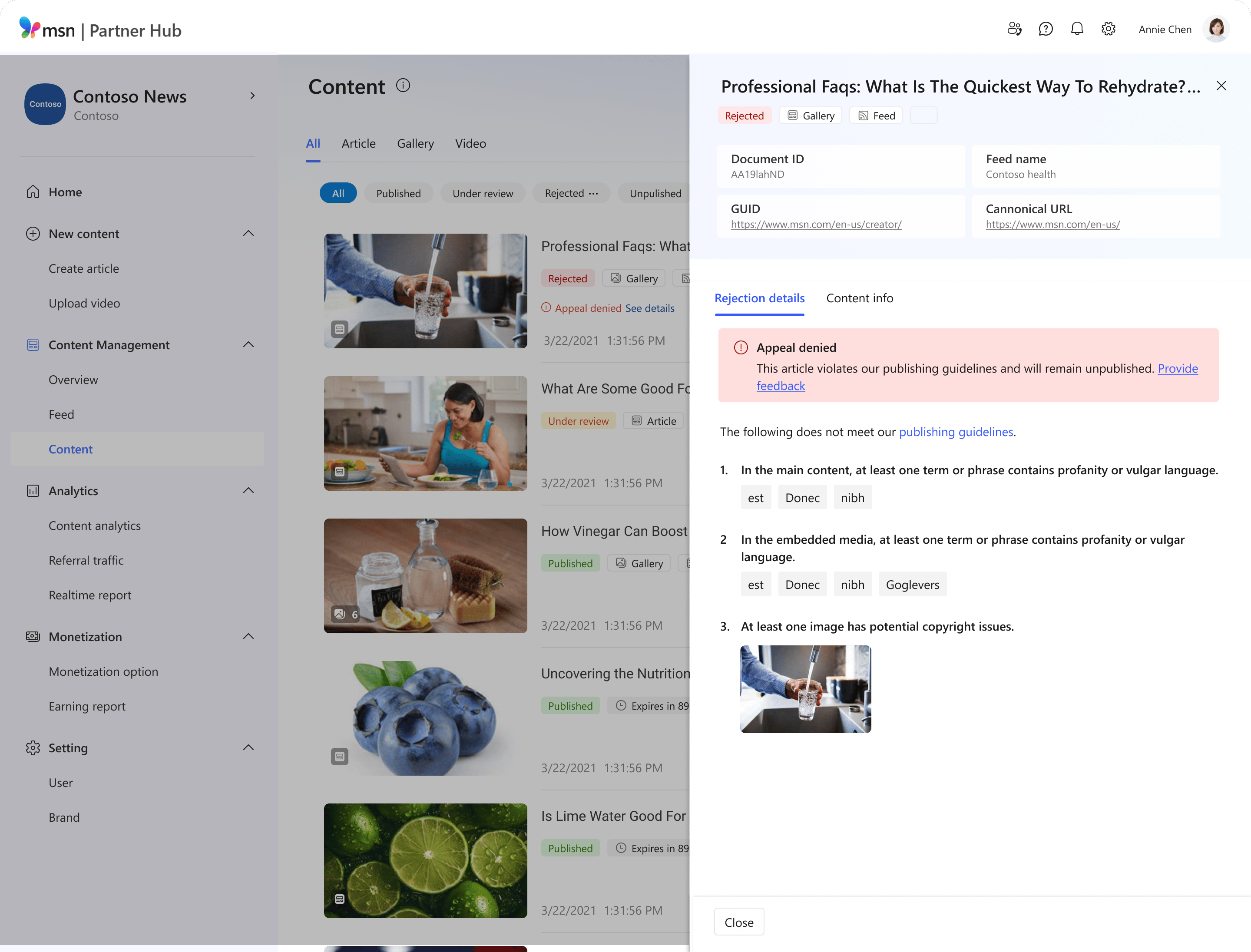
If your post is rejected and you disagree with our decision:
- Click on Provide feedback to share details.
Note
- We will consider your feedback for future improvements.
- You can also use this feature to report systemic problems, such as ‘appeal error’ cases.