
Napomena
Dodavanje toka posla iz deljene datoteke deo je programa za javni pregled i može da se podvrgne dodatnim promenama pre nego što se javno objavi. Da biste dobili pristup ovoj i drugim predstojećim funkcijama, prebacite se na Teams javni pregled.
Možete dodati i pokrenuti tokove posla direktno iz deljenih datoteka u ćaskanju ili na kanalu.
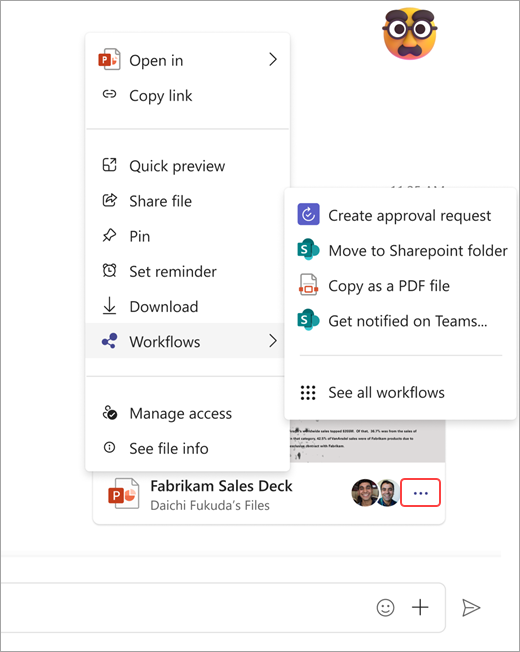
- Idite na Više opcija priloga
 u usluzi Microsoft Teams" u donjem desnom uglu deljene datoteke.
 - Izaberite tokove posla.
- Odaberite sa liste trenutnih tokova posla koji se mogu izvršiti na datoteci ili izaberite stavku "Pogledajte sve tokove posla".
- Izaberite između trenutnih tokova posla koji su već podešeni za datoteke ili predlošci za pregledanje.