
Applies To: Microsoft Teams for Education
Add a Learning Activity to a Classwork module so students can practice with flashcards, matching, fill in the blanks, and other interactive activities as part of their class materials. Learning Activities in Classwork are not graded — they give students a way to review and practice on their own.
Add a Learning Activity to a module
In Teams, navigate to your class team and select Classwork.
Open an existing module or select + to create a new one.
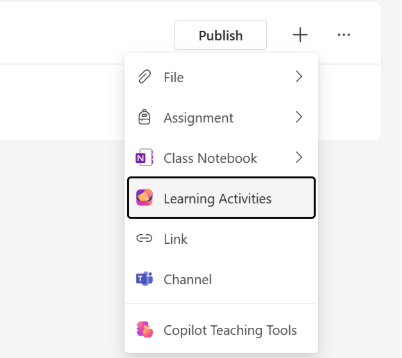
Select + on the module, and then select Learning Activities.
In the Activity Picker, browse or search your existing Learning Activities by title.
Select the activity you want and select Attach.
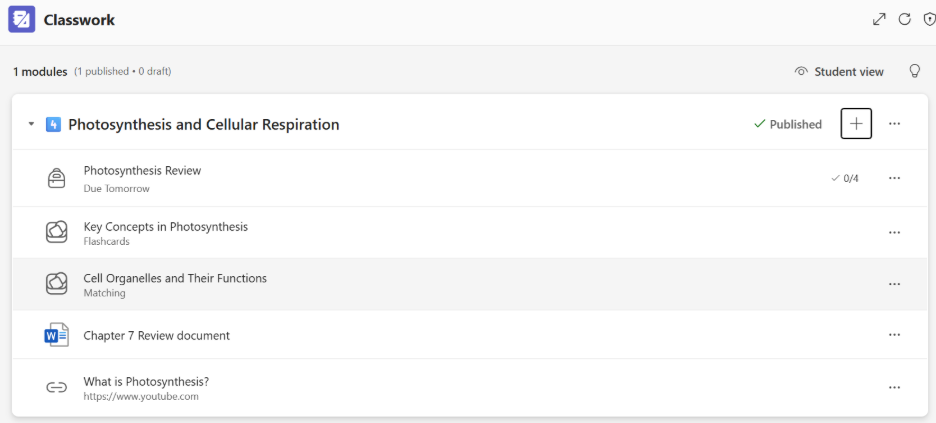
The Learning Activity appears in your module alongside other resources.
Create a new Learning Activity from Classwork
If you don't have an activity ready, you can create one directly:
- From the Classwork module, select + then Learning Activities.
- In the Activity Picker, select Create new.
- Choose the activity type (flashcards, matching, fill in the blanks, or other available types).
- Build your activity and save it.
- The new activity is automatically added to your module.
What happens when you copy a module
Over half of Classwork modules are created by copying an existing module. When you copy a module that has a Learning Activity, the system creates a new copy of the activity for the target class. The copy is independent — changes to one don't affect the other.
If you copy to multiple classes, a separate copy is created for each class. The class name is added to the activity title so you can tell them apart.
Remove a Learning Activity from a module
- Open the Classwork module.
- Find the Learning Activity and select Remove.
The activity is removed from the module but still exists in your Learning Activities library.
Things to keep in mind
- Learning Activities in Classwork aren't graded. They don't appear in the gradebook.
- Students can access the Learning Activity directly from the Classwork module and complete it inline.
- The same creation experience is available in both Classwork and Assignments — you can use whichever surface fits your workflow.
- Copy behavior is the same in Assignments. See Add a Learning Activity to an assignment.
- To edit an attached activity, open it from your Learning Activities library.