
Want to report bugs or track tasks without breaking your flow? With this workflow template, you can use emoji reactions in Microsoft Teams to automatically create new work items in Azure DevOps. Just react to a message with a specific emoji—like 🐞 for bugs or ✅ for tasks—and the system will instantly log a new item with all the relevant details. It’s a fast, intuitive way to turn conversations into action, helping you and your teams stay focused, reduce manual steps, and keep projects moving forward without switching apps or filling out forms.
Try it! Start with a template
You can set up this workflow in just a few clicks—no coding needed.
Open Workflows from any entry point.
Open the templates page.
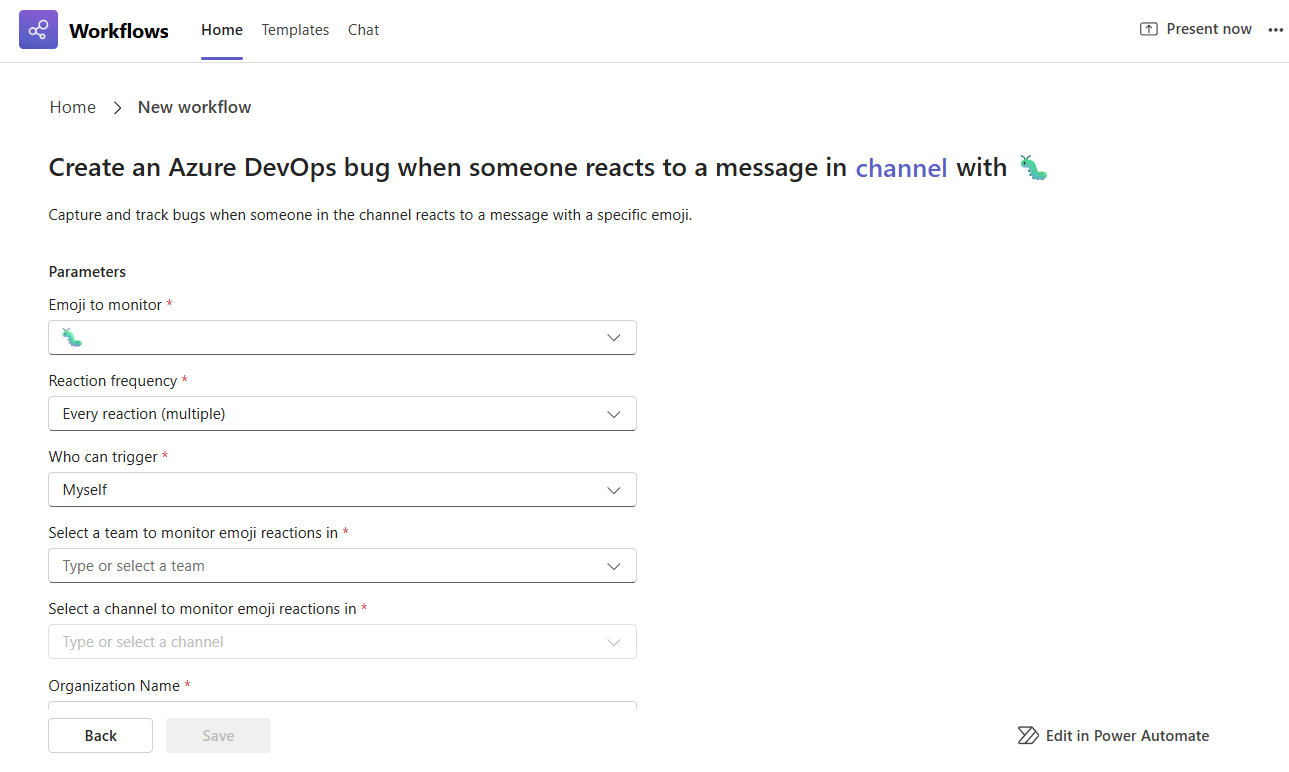
Select the template Create Azure DevOps bug when channel gets emoji reaction.
Tip
If you want to use this in a Teams chat instead of a channel, select the template called Create Azure DevOps bug when chat gets emoji reaction.
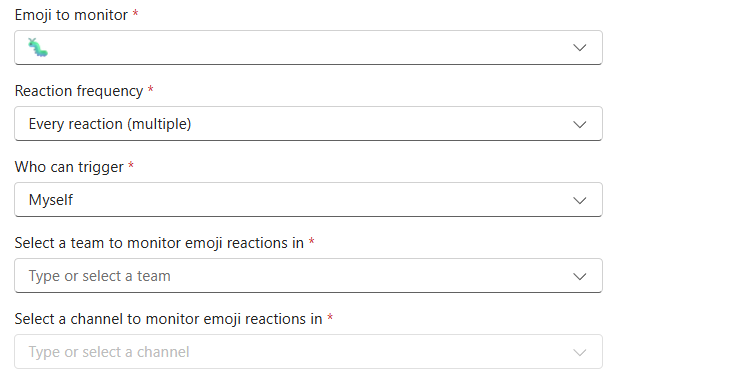
Step 1: Set up what emoji to monitor for and where to monitor for it.
Pick the emoji you want to use. Example: 🐛 to create a bug in Azure DevOps.
Set how often it triggers:
- Every time the emoji is used (default)
- Only the first time it’s used on a message
Decide who can trigger it:
- Myself (default)
- Everyone
Select the specific team and channel or chat to monitor for emoji reactions.
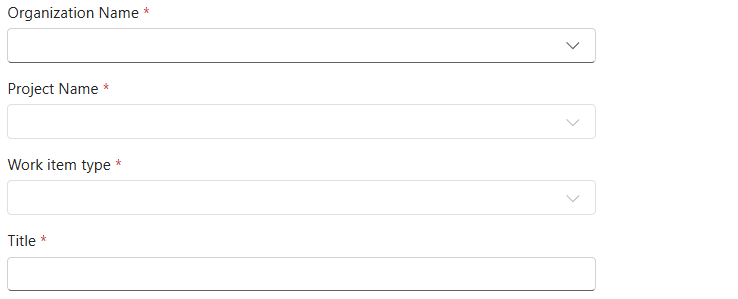
Step 2: Set up what work item will be created
Choose your Organization name
Choose your and Project name.
Select the Work Item type (e.g., Bug, Task).
Add a title and description.
Fill in any additional fields that are required to create the work item.
Tip
These dynamic fields will show under the description field and are dependent on the work item that you chose to create. Create a sample work item in Azure DevOps first to see what fields are required to successfully save the work item. This helps you set up the workflow correctly.
Step 3: Complete your workflow
When you're done, select Save to create your workflow.
Tip
After your workflow is created you will land on the details page for the workflow. Here you can change the name, add co-owners, and more.