
Copilot can review your document and provide suggestions that help improve clarity, readability, and organization.
Improve writing with Copilot
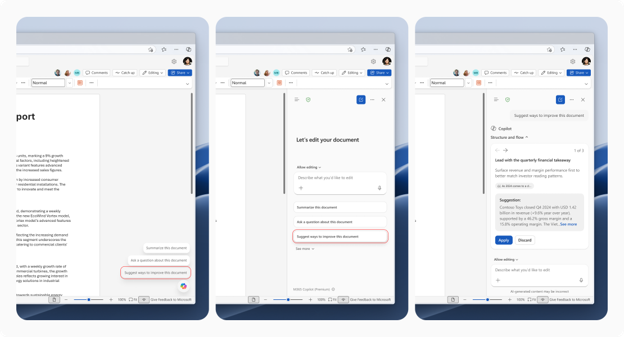
- Hover over Copilot and look for the Improve document option.
- Alternatively, open Copilot chat, select the same option, or enter a prompt requesting suggestions for the document or part of a document.
- Copilot responds with suggestion cards grouped by categories.
- Browse the cards and select Apply to incorporate a suggestion into the document.
- Each card includes a citation to the paragraph associated with the suggestion so you can compare the original text and the proposed revision.
Example prompt
Review my writing and give me suggestions.