
Use Copilot in Word to build on content that already exists. You can start from a template, update an existing document, or use source files to generate new content while maintaining the document's format and structure.
Reuse existing format and structure
Start from a template or existing document and draft new content while keeping formatting and structure.
Add content
Ask Copilot to expand an existing document with:
- A new section
- A new paragraph
- A checklist
- A table
- Other supported document content
Start from an existing document
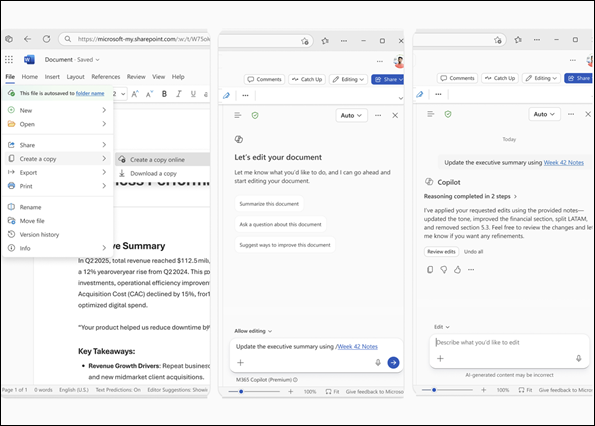
- Copy or open a template or existing document.
- Open Copilot and describe what you want it to write. Use Reference a file to point to a specific source, or let Copilot find relevant files and context.
- Select Generate and review the draft.
Example prompts
Fill out an invoice using information in a purchase order PDF.
Update a regulatory approval package using the latest trial manufacturing data.
Create a section based on [file name].
Add a Key Takeaways section to the executive summary.