
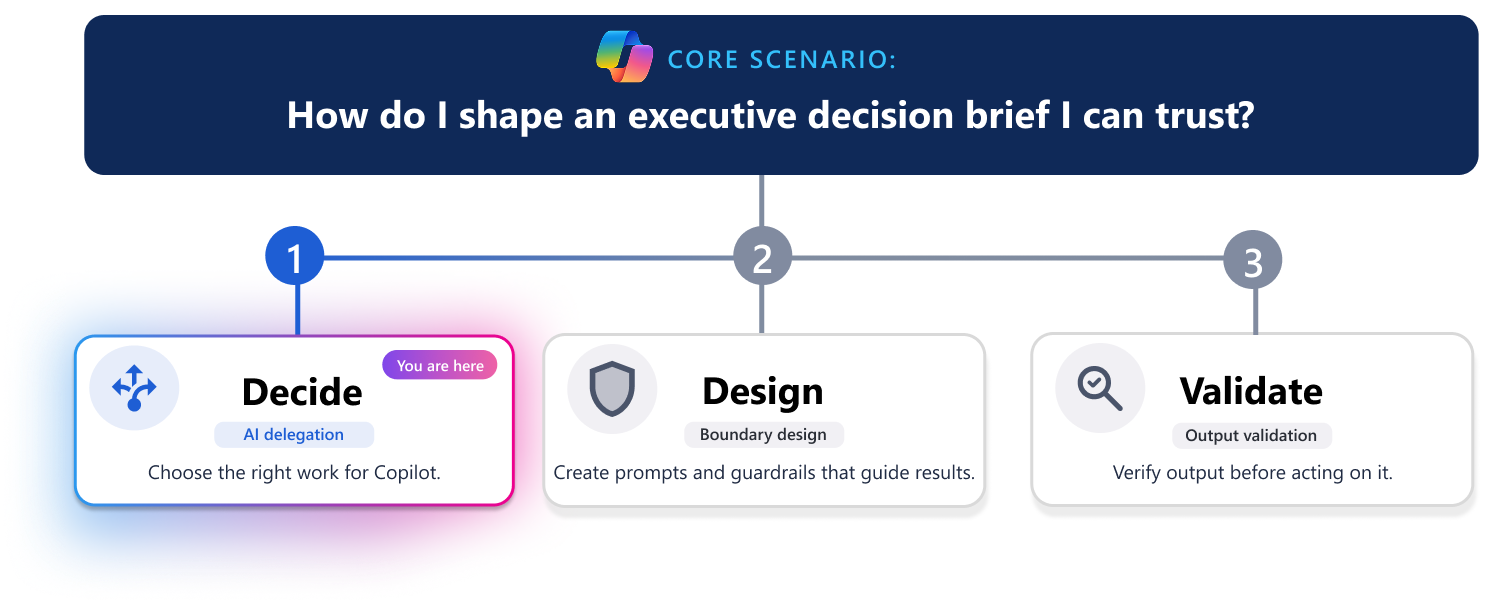
Microsoft 365 Copilot can help you produce a decision brief faster, but not every part of the brief should be delegated. Decision briefs often include research, analysis, judgment, and commitments. Some of that work is a good fit for Copilot. Some of it still needs you to lead.
This scenario shows how to decide which parts of a decision brief Copilot should handle. The goal is not to use Copilot everywhere, but to use it where it adds value without reducing accountability.
Scenario: Divide decision brief work into tasks before you delegate
You’re preparing a decision brief for senior leaders about whether to continue, change, or stop a pilot after mixed results. Some teams have seen benefits, but adoption varies, feedback includes both enthusiasm and concern, and cost or staffing impacts remain unclear.
You have source material including pilot summaries, meeting notes, feedback themes, adoption data, and early cost estimates. The decision brief might influence future investment, expansion, changes to the rollout, or whether the effort ends.
Before using Copilot, break the work into smaller tasks. Routine work such as organizing source material, summarizing feedback patterns, and drafting an outline is often easier to review and delegate. Tasks that shape recommendations, interpret evidence, or influence decisions require more human involvement.
Your job is to decide where Copilot can draft, where it can support your thinking, and where you need to stay fully in the lead. Copilot can help synthesize information and structure a draft, but you remain responsible for the recommendation.
How do I evaluate decision brief work before delegating it?

Use these four questions for each task:
- Repeatability: Does this step follow a predictable pattern?
- Impact: What happens if this part is wrong?
- Error detectability: Would mistakes be easy to spot?
- Time sensitivity: Would using Copilot help you move faster on this task without adding unnecessary risk?
How should I divide decision brief work between Copilot and people?
The following table shows a practical way to divide the work so Copilot helps you assemble and draft, while people stay responsible for validation, strategy, and approval.
| Decision brief step | Recommended approach | Why |
|---|---|---|
| Gather notes, decisions, and existing source material. | Copilot handles with human review. | This is often repeatable and faster to synthesize than to do manually. |
| Draft a first-pass outline or standard sections. | Copilot handles with human review. | Structure and first drafts are usually low risk if you review and refine them. |
| Summarize known pilot goals, milestones, findings, or background. | Copilot handles with human review. | This can save time, but you still need to confirm what is current, complete, and relevant. |
| Shape the recommendation, tradeoffs, and business case. | Copilot supports, but stays human-led. | This is judgment-heavy work. You own the logic, positioning, and final message. |
| Confirm dates, budget, owners, scope, dependencies, and assumptions. | Keep human-led. | These details can be high impact and must be verified against trusted sources. |
| Approve the final decision brief and decide to share it. | Keep human-led. | Accountability, approval, and stakeholder judgment shouldn’t be delegated. |
How do I use Copilot while staying accountable?
Once you know which parts Copilot should handle, you can use it more intentionally.
For example, you might ask Copilot to:
- Summarize pilot feedback and adoption notes into a short background section.
- Turn rough points into a first draft outline for the decision brief.
- Suggest a clearer structure for findings, risks, dependencies, and options.
You should usually keep these parts human-led:
- The final recommendation.
- How mixed evidence should be interpreted.
- The level of confidence in the decision brief.
- How tradeoffs are framed.
- What you are asking stakeholders to approve.
- Whether the decision brief is ready to share.
Copilot can help you move faster, but it doesn’t take ownership of the decision brief. If the recommendation is weak, incomplete, or misleading, that is still your responsibility.
Prompt examples to help you make the call
You can use Copilot to help decide how much of the decision brief workflow to delegate.
Break the work into tasks
 List the main tasks involved in preparing this decision brief. Separate drafting, analysis, validation, and approval work.
 |
|---|
Assess each task
|
For each task, evaluate repeatability, impact, error detectability, and time sensitivity. Identify which tasks are suitable for Copilot drafting and which should stay human-led. |
|---|
Get a recommendation
|
Recommend which decision brief tasks should be automated with human review, supported by Copilot while remaining human-led, or handled entirely by a person. Explain the reasoning. |
|---|
Quick decision checklist
Before you use Copilot to draft parts of a decision brief, confirm:
✔️ Repeatability: The task is predictable enough for Copilot to handle well.
✔️ Impact: The risks and impact of errors is understood.
✔️ Error detectability: You can easily review and verify the result.
✔️ Time sensitivity: Speed adds real value.
If any of those are unclear, reduce the scope of what you delegate.
Why this decision matters
A decision brief like this is not just a document. It's a recommendation about what should happen next when the evidence is mixed and the stakes are real. Copilot can save time on drafting and synthesis, but your judgment is what makes the decision brief responsible to share.
Use Copilot where it helps you move faster. Keep humans in the lead where the work depends on judgment, interpretation, risk, and accountability.