

Microsoft 365 Copilot can help you move faster. It can summarize meetings, draft communications, analyze information, and pull together ideas from multiple sources in seconds. That speed is useful—but speed is not the same as readiness.
A response can sound polished and still be wrong, incomplete, or risky to use. Validation is the step between getting a response and trusting it.
What is validation—and what isn’t?
Validation means checking Copilot output after it is generated and before you act on it, share it, or rely on it in a decision. It is not the same as polishing: a response can become clearer, shorter, or more professional and still be unsafe to use.
For example:
- A summary might read better but still leave out the risk that changes the decision.
- A customer reply might sound polished but include an unsupported claim.
- An analysis might look convincing but rely on assumptions that were never checked.
If you are asking, “Can I trust this enough to move forward?”, you are in validation mode.
Why does validation matter when using Copilot?
Using AI doesn’t transfer accountability. If Copilot output influences a recommendation, shapes a decision, or gets shared with other people, you still own the outcome.
Validation matters most when the output will be used to:
- Support a decision or recommendation.
- Summarize information from multiple sources.
- Communicate with customers, partners, or leadership.
- Identify priorities, risks, or next steps.
- Guide work that is time-sensitive or hard to reverse later.
In those situations, small errors can create outsized consequences. Often the real issue is a missing caveat, a dropped dependency, or an overconfident conclusion.
How do I validate Copilot output before using it?
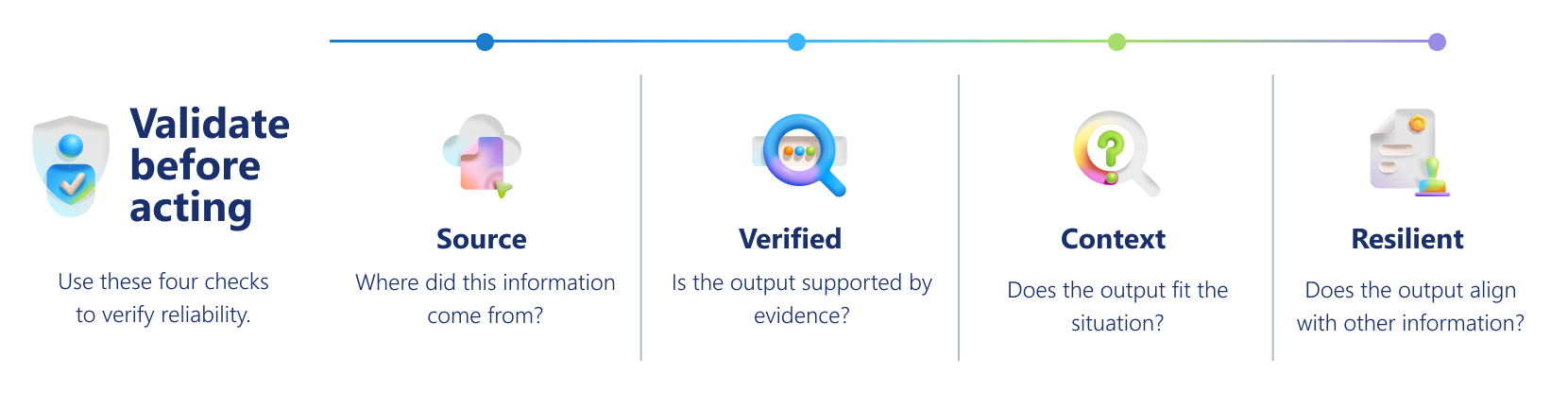
Use four simple checks to validate Copilot output: Source, Verified, Context, and Resilient. These checks help you catch errors, gaps, and risks before you act.
Source
Does the response accurately reflect the source material?
| What to check | Why it matters | Ask Copilot |
|---|---|---|
| Do the claims match the original files, notes, messages, or data? Can you trace key statements back to a reliable source? Has Copilot blended ideas, overstated certainty, or filled gaps with assumptions? |
Prevents unsupported or distorted claims. | “Cross-check this response against the source material and highlight any mismatches, unsupported claims, or missing qualifications.” |
If a statement can't be traced back to a source, treat it as unconfirmed until verified.
Verified
Are the most important facts, names, dates, numbers, and recommendations confirmed?
| What to check | Why it matters | Ask Copilot |
|---|---|---|
| Which details matter most if they are wrong? What needs independent confirmation? Are you trusting something because it sounds right or because it was checked? |
Reduces risk of errors in critical facts. | “Which statements in this response require verification, and where should I confirm each one?” |
A response can be useful overall but still contain specific details that shouldn’t be used as-is.
Context
What is missing that could change the outcome or decision?
| What to check | Why it matters | Ask Copilot |
|---|---|---|
| Are key caveats, assumptions, dependencies, or risks missing? Is there an exception that changes the guidance? Would the recommendation change if a missing detail were included? |
Ensures context, caveats, and risks are included. | “What important context, caveats, dependencies, or risks might be missing from this response?” |
Many AI mistakes are really omissions. The output might sound complete because it is smooth and well organized, but the missing context is what makes it misleading.
Resilient
Would this response hold up in different scenarios?
| What to check | Why it matters | Ask Copilot |
|---|---|---|
| What if conditions change? What if a different audience reads this? What exceptions or alternate interpretations could make this misleading? |
Tests reliability beyond the simplest case. | “What scenarios, exceptions, or alternate interpretations could make this response incorrect or misleading?” |
A fragile response might be fine in the easiest version of the situation and still be unsafe to use more widely.
How do I apply the validation framework in a real scenario?
For this scenario, Copilot gives you this recommendation: “You can recommend a company-wide launch next week. No major blockers remain.”
At first glance, that sounds clear and confident. But before you repeat or act on it, validate it. The following table shows how each check helps you test the response for hidden risk.
| Validation check | What to check in this scenario | Risk | Action |
|---|---|---|---|
| Source | Does the source material actually say that no major blockers remain? | The recommendation might overstate what was said or imply a decision that was never made. | Check the meeting transcript, notes, or source files before repeating the recommendation. |
| Verified | Have legal approval, dates, and readiness details been confirmed? | Key details might be outdated, incomplete, or incorrect. | Verify important facts before taking action or sharing the recommendation. |
| Context | Were any important rollout conditions left out, such as regional exceptions or dependencies? | The response might sound complete but leave out critical constraints. | Add the missing context before using the recommendation. |
| Resilient | Would this recommendation still hold true across all teams, regions, or audiences? | Guidance that works in one situation might fail in another. | Adjust the recommendation so it fits the full business context. |
After checking, you might find that legal review is still pending or that regional differences affect timing. Instead of repeating the recommendation, you confirm those issues first.
That is what validation does: it helps you catch hidden weakness before it turns into a bad decision.
How can Copilot help me validate its own output?
Copilot can help you validate its output—but it can't certify its own correctness.
This means you can use Copilot as a:
- Reviewer, to compare output with sources.
- Challenger, to surface assumptions.
- Gap finder, to identify missing context.
- Stress tester, to explore edge cases.
Try these prompts
Source check
 Compare this response with the referenced source material and highlight any statements that are unsupported, overstated, or inconsistent with the original content.
 |
|---|
Verified check
|
Which facts, names, dates, numbers, or recommendations in this response should be independently verified, and where should I confirm each one? |
|---|
Context check
|
What important context, caveats, dependencies, or risks might be missing from this response that could affect how it should be interpreted or used? |
|---|
Resilient check
|
“What scenarios, exceptions, or audience differences could make this response misleading, incomplete, or unsafe to use as written?” |
|---|
Use Copilot’s feedback as a signal—not as the final authority. Always verify against trusted sources when the stakes matter.
Quick readiness checklist
Before you act on or share Copilot output, confirm:
✔️ Source: The content matches the source material.
✔️ Verified: Key facts have been confirmed.
✔️ Context: Nothing important is missing.
✔️ Resilient: The content holds up across scenarios and audiences.
If any one of these is unclear, validate further before moving forward.
Accountability stays with you
Microsoft 365 Copilot can help you process more information, move faster, and generate drafts quickly. But once that output enters real work, human judgment is what makes it trustworthy.
Validation ensures Copilot-generated work is not only useful, but also accurate, reliable, and safe to use in real-world situations.