
Find the Study and Learn Agent: Open the Microsoft Copilot app on Web or Windows Desktop. Look for the Study and Learn Agent in the left navigation pane. You can also find it in the Chat dropdown menu.
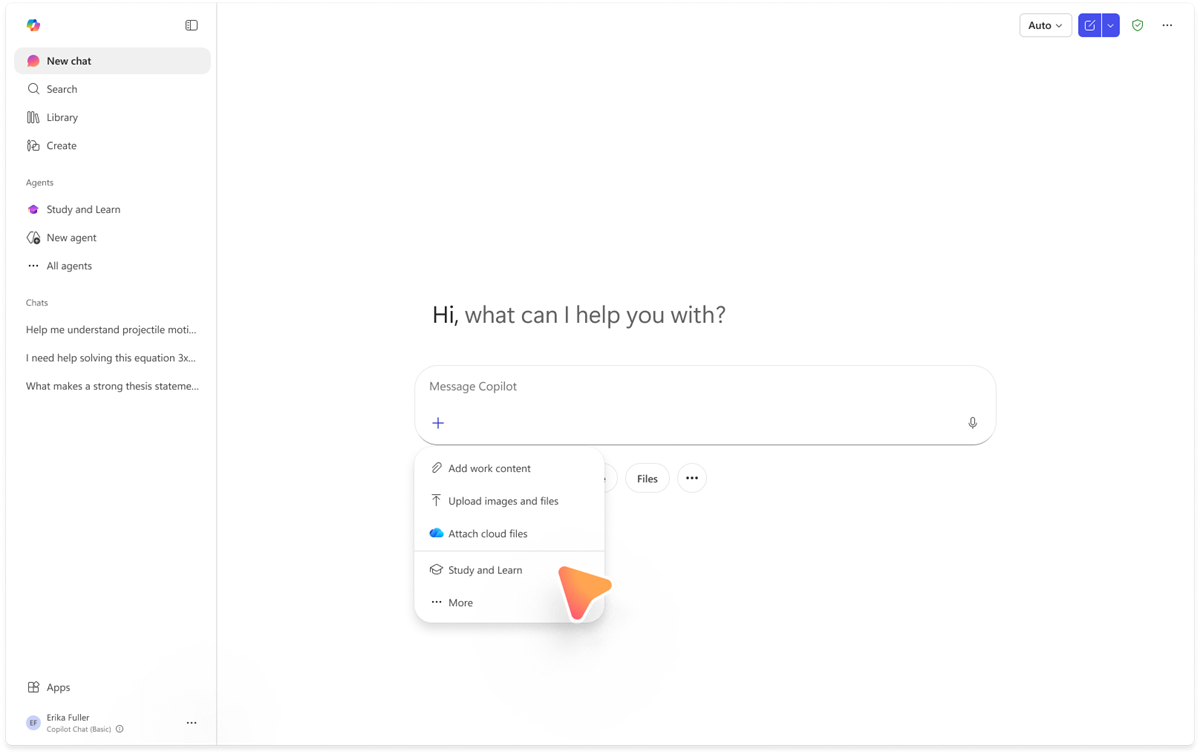
Start a conversation: Select the Study and Learn Agent to open a new chat. You can begin by asking a question about any topic, or upload your own study materials (documents, slides, PDFs, URLs) to ground the conversation in your specific content.
Use learning activities: Ask the agent to create flashcards, quizzes, matching exercises, or fill-in-the-blank activities based on what you're learning. The agent generates these from your own materials or from any topic you're exploring.
Deployment and onboarding resources: Different users approach the Study and Learn Agent in different ways. Here are onboarding tips and best practices tailored for students, educators, and IT administrators.
Privacy and Responsible AI: Microsoft has built the Study and Learn Agent with strong foundations in privacy and responsible AI principles. Here's how your data is handled and what safeguards are in place.
