
Individual modules can be adjusted by following the below directions:
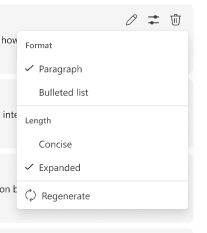
- Hover over a module to display three options to edit, adjust, or delete the module.
- Choose the adjust icon to select a format (Paragraph or Bullet points), length (Concise, Expanded), and regenerate AI drafts for this specific module.
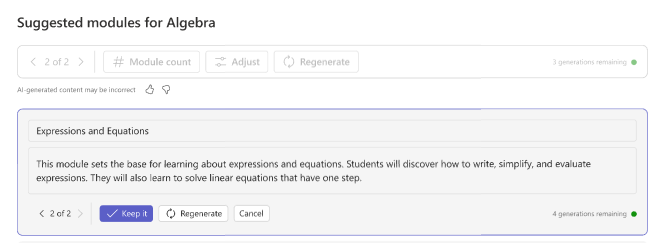
3. If you like the new drafted description, choose the Keep it button or Regenerate again.
Note
If the regeneration fails, choose the retry option.
Learn more
Getting started with Classwork AI modules
Classwork AI: regenerate and adjust modules
Classwork AI: set module count