

Try it!
Note
These steps apply to Word for Windows (desktop). Steps may be different in other versions of Word.
Manually rotate a picture or shape
- Select the picture or shape.
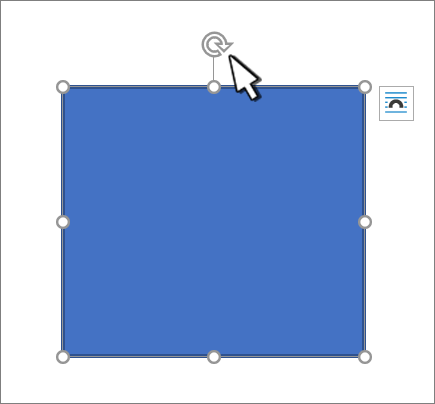
- Manually rotate the text box by selecting the shape or picture rotation handle and dragging in the direction you want. To rotate in fixed 15‑degree steps (for example, 15°, 30°, or 45°), hold Shift while you drag.
Rotate a picture or shape a specific amount
- Select the picture or shape. This will open the Shape Format or Picture Format ribbon.
- Select Rotate. Use any of the rotation commands in the list, like Flip Horizontal.
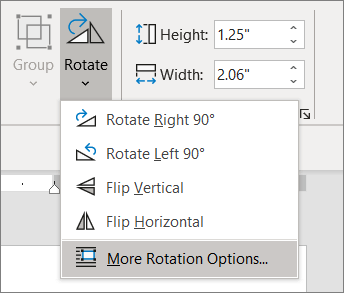
- Select More Rotation Options and enter the precise amount in the Rotation box.